



By Bohdan Vasylkiv
- CEO & Co-Founder
Warehouse Barcode System: How to Set One Up (Step by Step)
A complete guide to the warehouse barcode system - how it works, components, barcode types, scanners, step-by-step setup, costs, and WMS integration.
Key Takeaways
- Barcodes replace manual counts with a one-second scan, dramatically cutting picking and inventory errors.
- The core setup is just four parts: labels, scanners, software, and printers that talk to each other.
- Rolling it out works best in stages — audit, pilot, then scale — never all at once.
- The right build pays for itself fast through fewer mistakes, faster shipping, and real-time stock data.
Let's be honest — running a warehouse on spreadsheets and gut feeling works fine, right up until it doesn't. One mislabeled pallet, one miscounted shelf, and suddenly you're shipping the wrong order or promising a customer something you don't actually have.
A barcode system in warehouse operations fixes that at the root. Every item, shelf, and pallet gets a scannable identity, and your software always knows where things are.
In this guide, we'll walk through what these systems really are, the parts you need, how to pick barcode types and scanners, and a clear step-by-step rollout. By the end, you'll know exactly what to build first.
What a Warehouse Barcode System Is (and How It Works)
So what are we actually talking about?
A warehouse barcode system combines labels, scanners, and software to turn physical inventory into data your team can trust. Instead of writing down SKU numbers by hand, a worker scans a code, and the system records the movement instantly.
The flow is simple. You print a label for every product, location, and pallet. When something arrives, gets picked, or ships, someone scans it. That scan travels to your software, which updates stock levels in real time. No retyping, no guesswork.
Think of a barcode warehouse system as the nervous system. It senses what's happening on the floor and reports it back to the brain — your software — in a fraction of a second. Everything downstream, from reorder alerts to shipping accuracy, depends on that signal staying clean.
Why Warehouses Run on Barcodes: Key Benefits
Why bother switching at all?
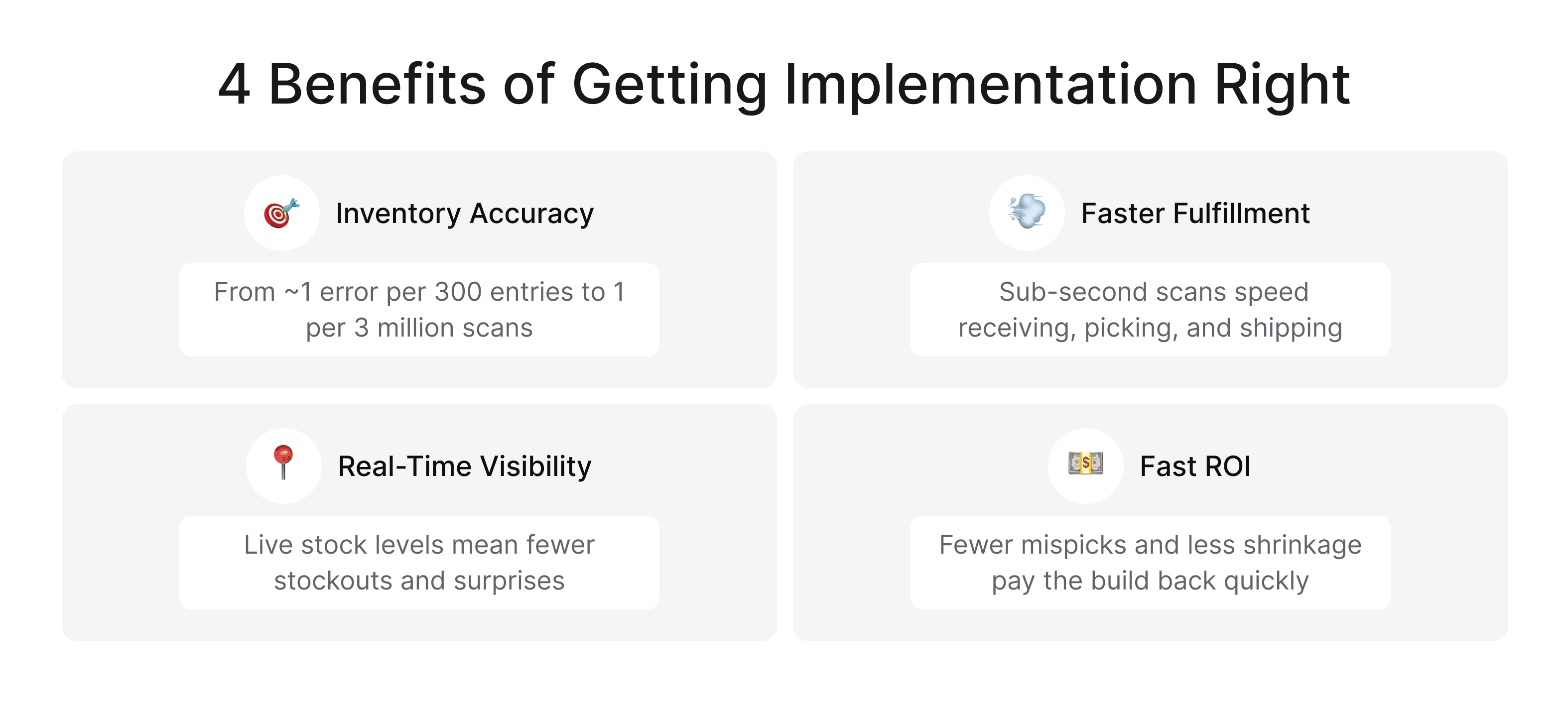
Because the payoff shows up fast. A well-designed barcoding system for warehouse teams improves accuracy, speed, and visibility all at once — and those 3 feed straight into your bottom line.
Near-Perfect Inventory Accuracy
Manual data entry averages about one error per 300 keystrokes. A scan? Closer to one in three million. That gap is the whole story. With warehouse barcoding in place, counts stop drifting, cycle counts get faster, and you stop paying for phantom stock that was never really there.
 Click to expand
Faster Receiving, Picking, and Shipping
Speed is the second win. A scan takes under a second and confirms the right item in the same motion. Pickers walk shorter routes, receiving clears faster, and shipping mistakes drop.
Simply put, your team does more with the same headcount — and new hires get productive in days, not weeks.
Real-Time Stock Visibility and Fewer Stockouts
And here's why that matters: when every movement is scanned, your stock levels are always current. You spot what's running low before it's gone, so you reorder on time instead of scrambling. Fewer stockouts, fewer emergency shipments, happier customers.
This kind of live visibility is also where technologies like IoT in warehouse management start to shine, layering sensor data on top of your scans.
The Core Components of a Warehouse Barcode System
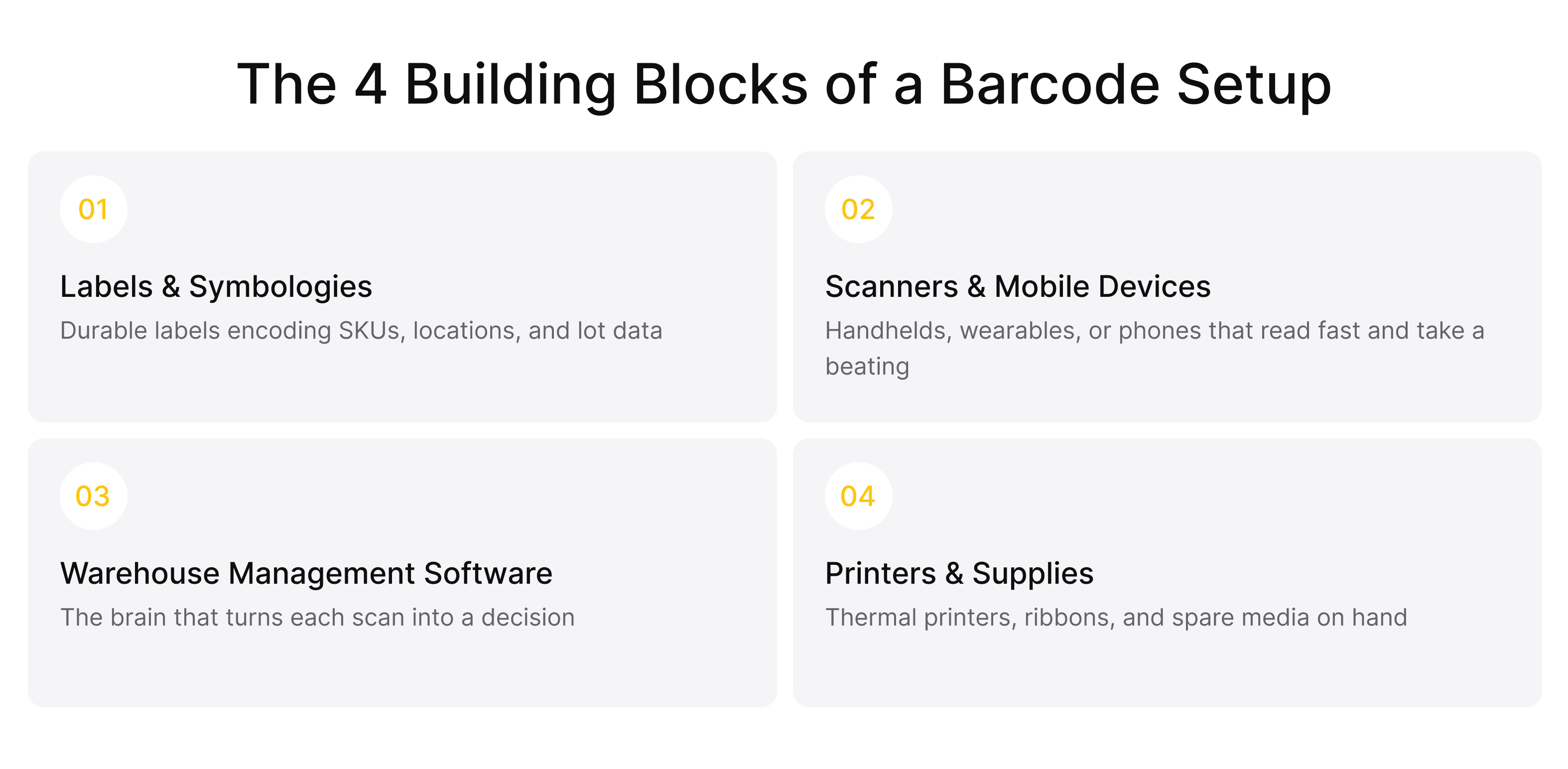
Every barcode system rests on 4 building blocks. Miss one and the whole thing wobbles. Let's break them down.
Barcode Labels and Symbologies
Labels are where it starts. Each one encodes a value — a SKU, a location, a lot number — in a specific format called a symbology. Warehouse labels also have to survive real conditions: cold storage, sunlight, abrasion. Cheap labels that peel or fade will quietly wreck your data.
Barcode Scanners and Mobile Devices
Next come the readers. A barcode scanner in warehouse work ranges from rugged handheld guns to wearable rings and everyday phones. Whatever you choose, it has to read fast, survive drops, and hold a charge through a full shift.
 Click to expand
Warehouse Management Software (WMS)
The software is the brain. This is where scans become decisions — stock updates, pick lists, replenishment triggers. A barcode warehouse management system ties the hardware to your actual workflows, so a scan doesn't just log data; it moves the operation forward.
Label Printers and Supplies
Finally, printers and consumables. Industrial thermal printers churn out durable labels on demand, and you'll want the right ribbons, media, and a small stock of spares. It's the least glamorous part of the setup — and the one people forget until they run out mid-shift.
1D vs. 2D vs. QR: Choosing the Right Barcode Type
Not all barcodes are equal, and picking the wrong type is a classic early mistake. Here's the short version.
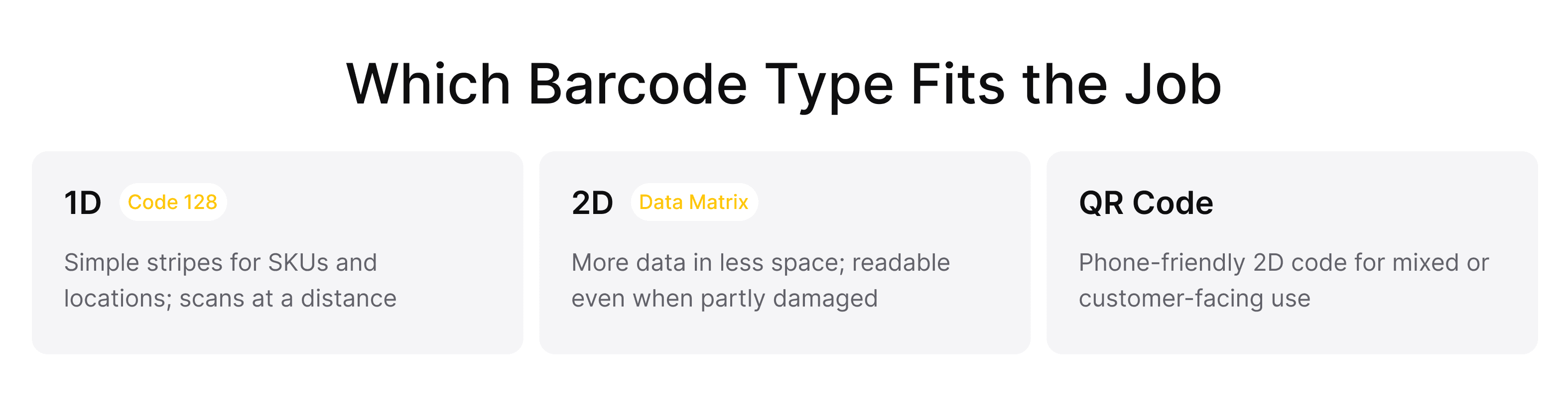
1D barcodes — the familiar stripes, like Code 128 — store a modest amount of data and scan reliably from a distance. They're perfect for SKUs and location labels.
2D barcodes, including Data Matrix, pack far more into a smaller space and can still be read when partly damaged. Great for tiny parts, or when you need lot and expiry data in a single mark.
 Click to expand
QR codes are a 2D format that phones read instantly, which makes them handy for mixed or customer-facing use.
Bottom line: most warehouses run mostly 1D for simplicity, with 2D where density or durability matters. You don't have to pick just one — the best barcode system for warehouse use often mixes them.
Barcode Scanners for the Warehouse: What to Use Where
Scanners aren't one-size-fits-all. The right mix depends on your space, your volume, and how your people move. A thoughtful warehouse barcode scanning system usually blends a few device types rather than betting everything on one.
Rugged Handheld Scanners
These are the workhorses — built to be dropped, sprayed, and used thousands of times a day. A rugged barcode scanner in warehouse aisles takes a real beating, so if you have high-volume receiving or picking, this is hard to beat.
Bluetooth and Wearable Scanners
Wearables — ring scanners paired to a wrist or hip device — keep both hands free. For pick-heavy operations, that hands-free flow adds up to real time saved over a shift.
Smartphone and Tablet Scanning
Modern phones scan well enough for lighter duty, and they're cheap to deploy. For a small operation or an early pilot, a good app on a rugged phone case is often all you need to start.
Barcode vs. RFID: When Each Wins
RFID reads tags without line of sight and can scan many items at once, which can feel like magic. But it costs more per tag and struggles around metal and liquids. Barcodes stay the practical default for most item-level tracking, while RFID earns its keep for pallet-level or high-value flows. Plenty of teams run both.
How to Implement a Warehouse Barcode System, Step by Step
Alright — the part you came for. Figuring out how to implement barcode system in warehouse operations is really about sequence.
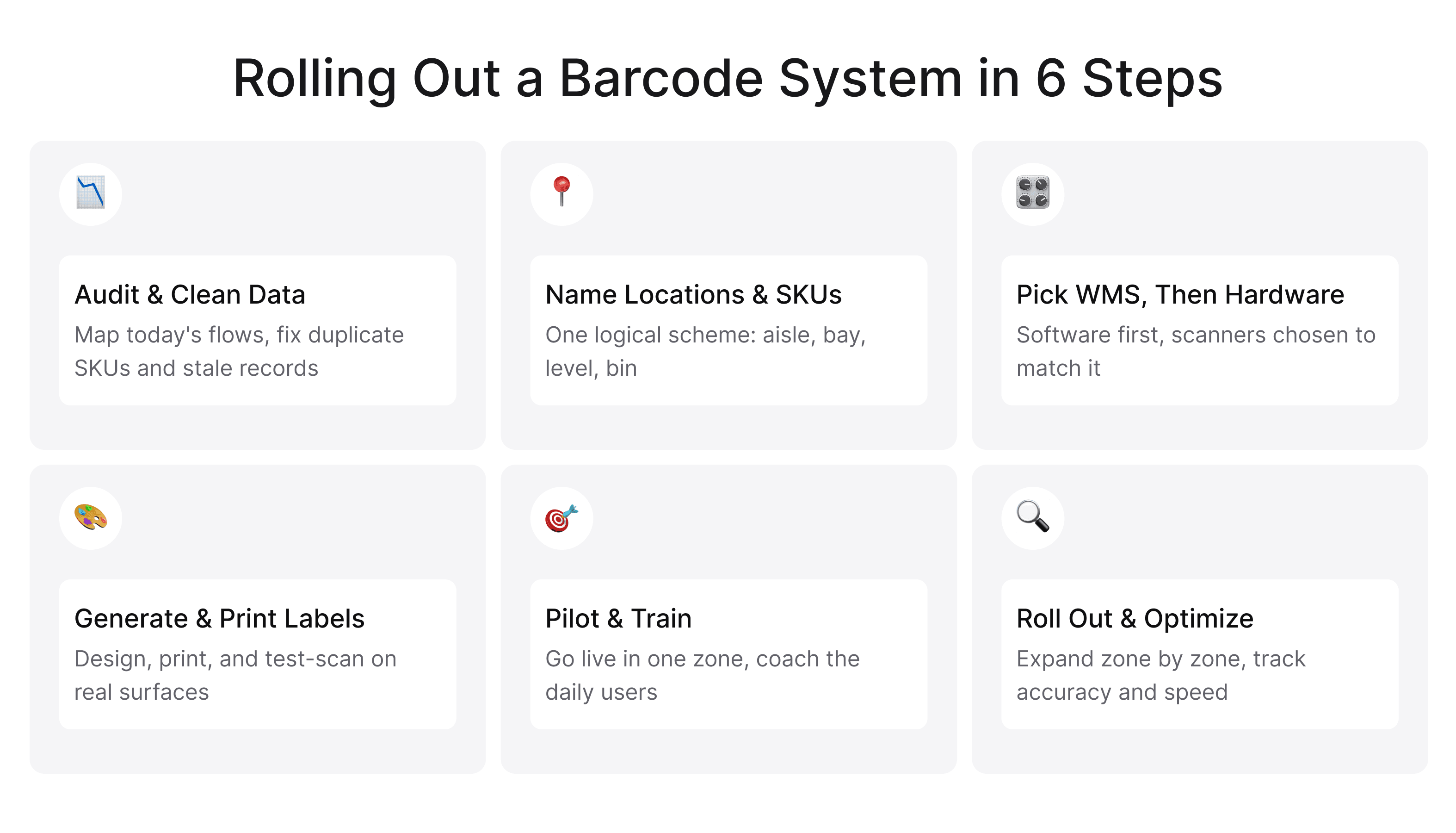
Follow these 6 steps in order, and you'll avoid the messes that sink rushed rollouts.
The same logic applies whether you're barcoding a full distribution center or just working out how to implement a barcode system for inventory in one stockroom.
Step 1: Audit Workflows and Clean Up Your Data
Before you buy anything, map how goods actually move today and fix your records. Duplicate SKUs, vague locations, stale data — clean them now. Scanning bad data just makes the mess travel faster.
Step 2: Design a Logical Location & SKU Naming Convention
Give every aisle, rack, bin, and product a clear, consistent name. A logical scheme — aisle, bay, level, bin — makes labels predictable and training easy. Get this right and everything downstream gets simpler.
Step 3: Choose Your WMS, Then Your Hardware
Pick your software first, then your hardware — not the other way around. Your workflows should drive the choice, and the scanners should just support it. This is also the moment to decide whether an off-the-shelf wms barcode system fits, or whether your processes need something built to match.
 Click to expand
Step 4: Generate, Design, and Print Labels
Now generate your codes, design clean labels, and print test batches. Check that they scan from real angles and distances, on the actual surfaces they'll live on. This is the practical heart of how to set up barcode inventory system labeling — get the physical labels right before you scale.
Step 5: Run a Pilot and Train Your Team
Don't flip the whole building over at once. Pick one zone, run a real pilot, and train the people who'll use it every day. Their feedback catches problems no plan can predict.
Step 6: Roll Out, Measure, and Optimize
Once the pilot works, expand zone by zone. Track accuracy, pick speed, and error rates, then tune as you go. A rollout is a starting line, not a finish line.
How a Barcode System Connects to Your WMS and ERP
A scan is only useful if the data goes somewhere. That's why integration matters as much as the hardware. Your barcode setup should feed your WMS, and your WMS should sync with your ERP — so finance, purchasing, and orders all read from the same numbers.
When these systems connect cleanly, a single scan can update stock, trigger a reorder, and reconcile an invoice without anyone lifting a finger. When they don't, you get silos and manual re-entry — the exact problems you were trying to kill.
This is often where custom work pays off. If your ERP is older or heavily customized, it may take dedicated integration effort, and many teams choose to hire ERP developers who can bridge the gap without breaking what already works.
What a Warehouse Barcode System Costs (and Its ROI)
Let's talk money. A basic warehouse barcode system — a handful of scanners, labels, a printer, and entry-level software — can start in the low thousands. A full deployment with rugged hardware, a robust WMS, and deep integration runs much higher, and it scales with your size and complexity.
The honest answer is that it depends, and if you want a realistic breakdown, our deep dive on warehouse management system cost is a good place to start.
Here's what matters: the return usually comes fast. Fewer picking errors, lower labor cost per order, less shrinkage, and fewer stockouts add up quickly. Many operations recover their investment within the first year — and then keep saving after that.
Barcode Rollout Pitfalls - and How to Avoid Them
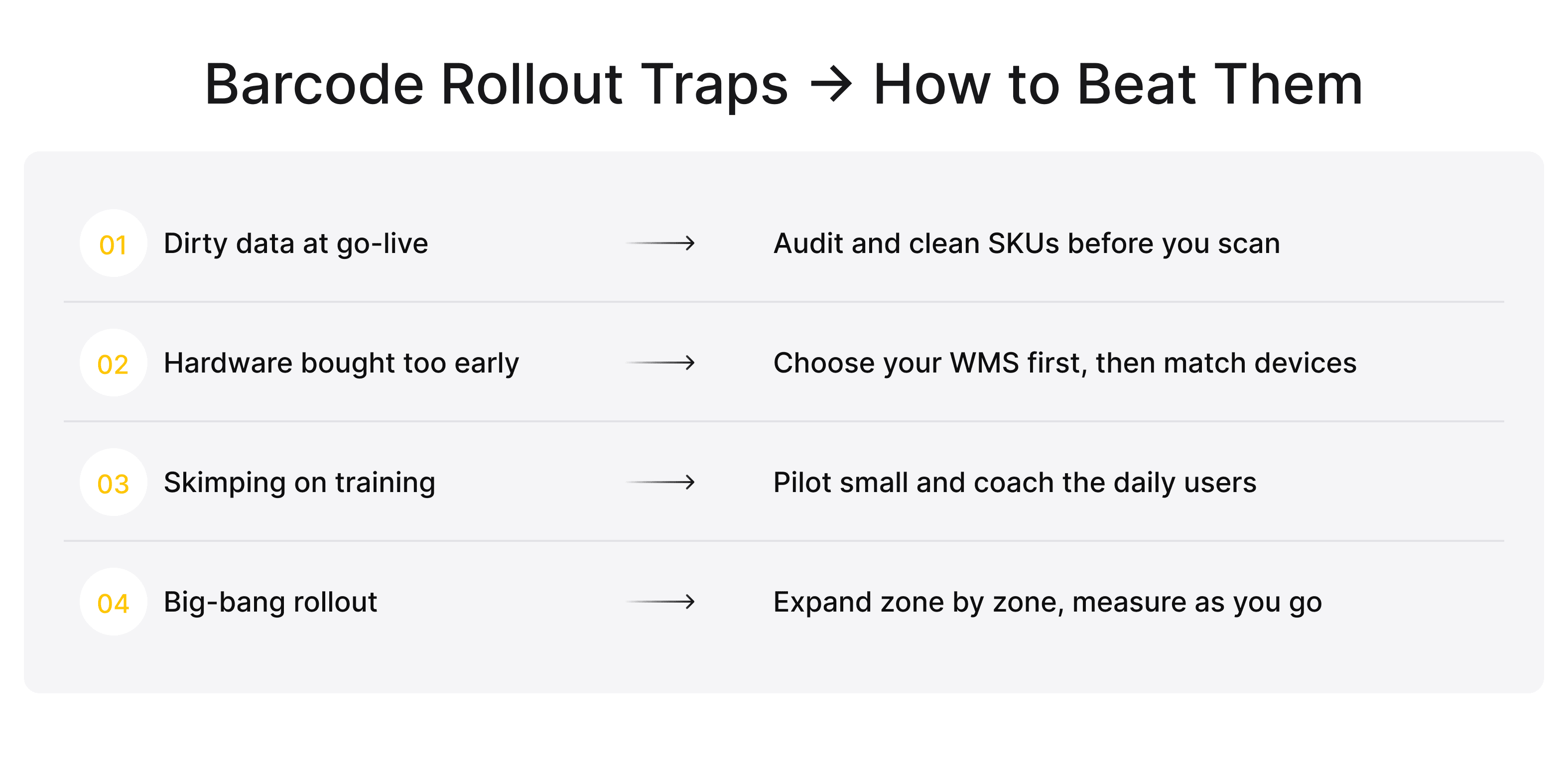
Most failed rollouts don't fail on technology. They fail on planning. A few traps show up again and again when a barcoding system for warehouse teams gets rushed.
Skipping the data cleanup is number one. Garbage in, garbage scanned. Buying hardware before mapping workflows is a close second. And underinvesting in training almost guarantees your shiny new system gets worked around instead of used.
 Click to expand
That said, none of these are hard to avoid. Plan the sequence, pilot small, and treat your team as part of the build — not an afterthought.
Best Practices for a Reliable Barcode System
Want your system to stay reliable long after launch? A few habits separate the warehouse barcoding systems that thrive from the ones that quietly degrade.
Use durable labels rated for your environment. Keep spare scanners charged and ready. Run regular cycle counts to catch drift early. And document your naming conventions so new hires don't reinvent them.
Reliable warehouse barcoding is mostly about discipline — small, boring habits repeated consistently. It also helps to have a partner who understands both the software and the floor, which is exactly what strong supply chain & warehouse software development brings to the table.
Building a Custom Warehouse Barcode System With Incora
Off-the-shelf tools work great — until your operation doesn't fit the box. Odd workflows, legacy systems, unusual products, or tight integration needs are where packaged software starts to strain. That's the moment a custom build makes sense.
This is where our team at Incora comes in. We design and build tailored warehouse tech—from a custom barcode warehouse management system that maps exactly to your processes to integrations that connect your floor, your WMS, and your ERP into one clean flow. If a standard barcode warehouse system can't quite handle your reality, we build one that can.
Not sure a barcode system is worth it?
Book a quick call, and we'll walk you through what's possible for your business.
Because we work across logistics, our custom software development services reach well beyond the warehouse — we also handle delivery & shipping app development for teams that need tracking to follow the product out the door. You get software shaped around how you actually work, instead of the other way around.
Final Takeaway
Here's the bottom line. A warehouse barcode system isn't just a tech upgrade — it's the foundation for an accurate, fast, and visible operation. Get the components right, pick the barcode types and scanners that fit your floor, and roll it out in stages.
If you remember one thing about how to implement barcode system in warehouse operations, make it this: sequence beats speed. Clean your data, pilot small, train your people, then scale. Do that, and the system pays you back for years.
FAQ
What is a warehouse barcode system?
A warehouse barcode system is a setup of scannable labels, handheld or wearable scanners, and warehouse software that automatically tracks inventory. Instead of counting by hand, your team scans each item, location, or pallet, and stock data updates in real time—cutting errors and speeding up receiving, picking, and shipping.
How do you implement a barcode system in a warehouse?
Do it in 6 steps: audit your workflows and clean up inventory data, design a consistent location and SKU naming convention, choose your WMS first and then compatible hardware, generate and print and test your labels, pilot in a single zone while training staff, then roll out zone by zone and track results. Sequence matters more than speed.
What's the difference between 1D and 2D barcodes?
1D barcodes are the familiar vertical stripes, like Code 128, that store a small amount of data — usually a SKU or location ID — and scan reliably from a distance. 2D barcodes, like Data Matrix or QR, hold far more data in a smaller space, can carry lot and expiry details, and stay readable even when partly damaged.
Do I need a WMS to use barcodes in my warehouse?
No — you can scan into basic inventory software or even a spreadsheet. But a warehouse management system gets far more value from every scan, turning it into live stock counts, pick lists, replenishment triggers, and reorder alerts. Without one, you capture data but lose most of the automation that makes barcoding worth doing.
Barcode vs. RFID - which is better for warehouses?
For most warehouses, barcodes are the better default: they're cheaper, accurate, and reliable for item-level tracking. RFID wins when you need to scan many items at once, without line of sight, or track high-value and pallet-level goods. Many operations run barcodes as the base layer and add RFID only where it clearly pays for itself.


YOU MAY ALSO LIKE


Get in Touch
Got no clue where to start? Why don't we discuss your ideas?

