



By Bohdan Vasylkiv
- CEO & Co-Founder
Supply Chain Software Implementation: A Complete Step-by-Step Guide
A complete guide to supply chain software implementation - from requirements and choosing a system to steps, timeline, training, costs, and best practices.
Key Takeaways
- Success depends far more on preparation, clean data, and people than on the software itself.
- Clear requirements up front, decide whether the whole project succeeds or stalls.
- A realistic timeline usually runs from three months to a year, depending on the scope.
- The right implementation partner matters as much as the right platform.
Your team is buried in spreadsheets. Orders slip through the cracks, inventory counts rarely match what's actually on the shelf, and every real decision waits on someone pulling a report by hand. You already suspect the right software would solve most of this. The tricky part is getting it in place without bringing daily operations to a standstill.
That challenge sits at the heart of any supply chain software implementation. The work reaches into procurement, warehousing, logistics, finance, and everyone who touches those functions. Done well, you gain a live, reliable view of your business; done badly, you inherit an expensive system that gathers dust.
This guide walks you through the entire journey, from requirements and options to steps, timelines, costs, and mistakes to sidestep, so you can get it right the first time.
What Supply Chain Software Implementation Actually Means
So what does it involve, exactly? At its core, the implementation of supply chain management software means selecting, configuring, integrating, and rolling out a system that plans and coordinates the flow of goods, information, and money across your network.
The scope goes well beyond installing an application. Really, you're reshaping how your business makes decisions.
And the software itself is only half the story. The real work lies in aligning your processes, your data, and your people around one shared source of truth. That alignment is usually where projects quietly succeed or fall apart.
Companies that treat the rollout as a pure IT task tend to struggle. Those that approach it as a genuine business change, often supported by solid business process automation services beneath the surface, tend to pull ahead.
So set your expectations accordingly. A supply chain software implementation leans as heavily on people and process as it does on technology. Accept that early, and the whole effort runs far more smoothly.
Why Getting Implementation Right Matters (Benefits & ROI)
The payoff here is substantial, and so is the risk of getting it wrong. Handled well, a supply chain management software implementation trims inventory costs, shortens lead times, cuts stockouts, and gives leadership a live picture of operations instead of a report that went stale hours ago.
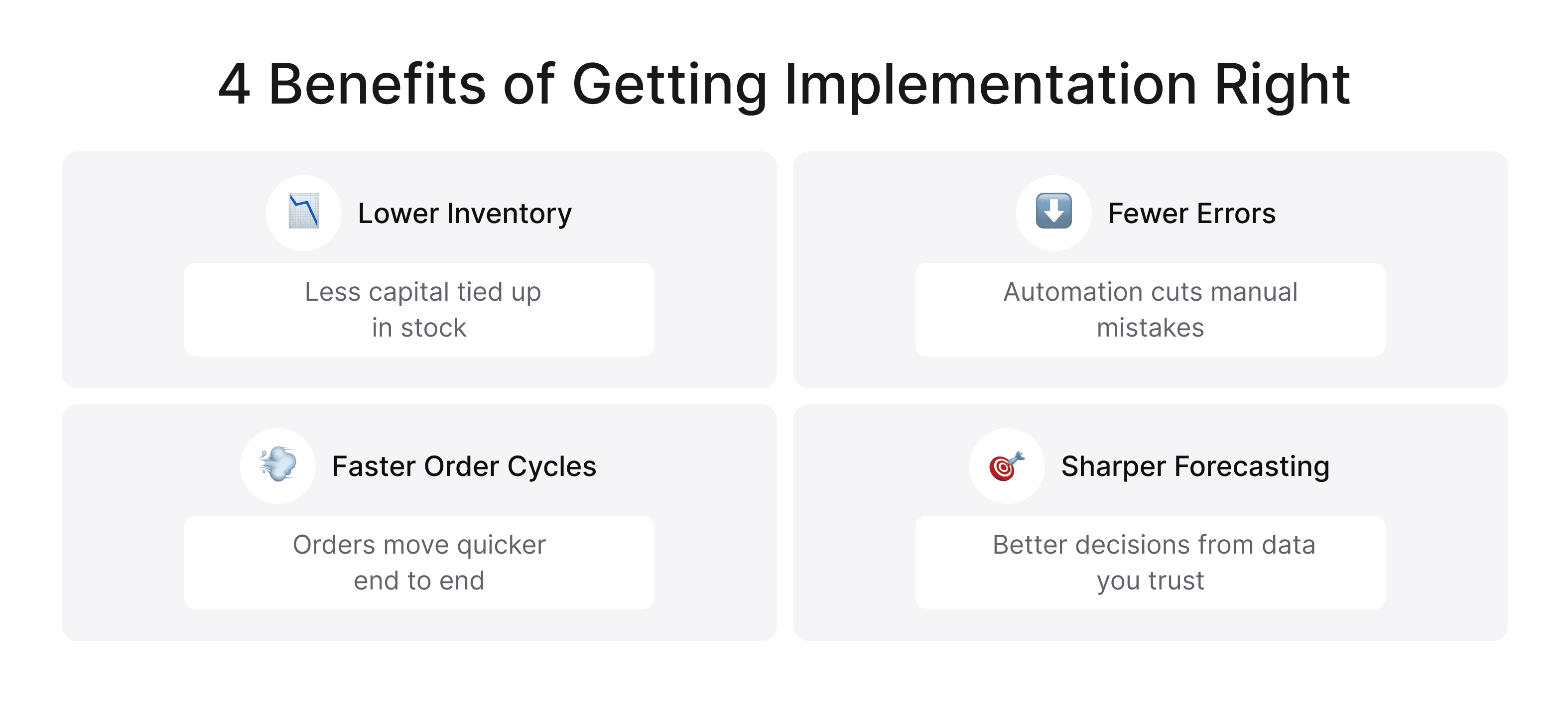
Typically, the return shows up in a handful of predictable areas: lower inventory, fewer manual errors, faster order cycles, and sharper forecasting. Better still, those gains compound over time.
A one-off efficiency boost is welcome, of course. The greater prize is steadier, smarter decisions day after day, drawn from data you can finally rely on. Most teams notice the shift first in small moments, like a purchase order that no longer needs three phone calls, or a stock figure that's finally accurate when a customer asks.
Still, none of this happens on its own, because the benefits depend entirely on adoption. If your team keeps quietly running side spreadsheets, you'll have spent a fortune to change very little.
 Click to expand
Keeping an eye on supply chain automation trends also helps you build something that still feels current a couple of years down the line, which is worth weighing before you lock the scope.
Before You Start: Defining Your Supply Chain Software Requirements
Before you approach a single vendor, get clear on what you truly need. Most teams rush this stage, and it quietly shapes everything that follows. Getting your supply chain management software requirements right from the outset saves you from buying a system that dazzles in a demo yet buckles in production.
Mapping Your Current Supply Chain Processes
Begin with reality rather than the ideal. Map how work actually flows today: where orders arrive, how inventory moves, who signs off on what, and where things tend to stall.
As you go, you'll surface bottlenecks you didn't realize existed and workarounds someone improvised years ago. Write all of it down. This map becomes the baseline you design against, and it keeps everyone honest about what "better" should actually mean.
Must-Have Features and Integration Needs
Next, translate that map into features, and sort the true must-haves from the nice-to-haves. Do you need real-time inventory tracking? Multi-warehouse support? EDI with your carriers? The more specific you can be, the better.
Your supply chain management software requirements should also specify every integration you'll rely on, from ERP and accounting to WMS and e-commerce. Integration gaps are where budgets quietly disappear. As a rule, a feature that can't connect to the systems you already run will do very little for you.
Setting Success Metrics and KPIs
Decide up front how you'll measure success. Choose a handful of KPIs tied to real outcomes, such as order accuracy, on-time delivery, inventory turns, and forecast accuracy. Record where those numbers sit today, so you have a genuine before-and-after to point to later.
Not sure where to start with your supply chain software rollout?
We can help you figure out what's actually slowing you down and what to build first.
Strong supply chain management software requirements always include measurable targets rather than vague ambitions. If improving inventory visibility is one of your goals, state it plainly, then confirm you can actually pull that metric from the new system on day one.
Choosing Your Path: Off-the-Shelf, Custom, or Hybrid
Once you know what you need, a real decision follows: how do you get there? There's no universal winner. It comes down to your budget, your timeline, and how unusual your operation truly is.
Off-the-Shelf SCM Platforms
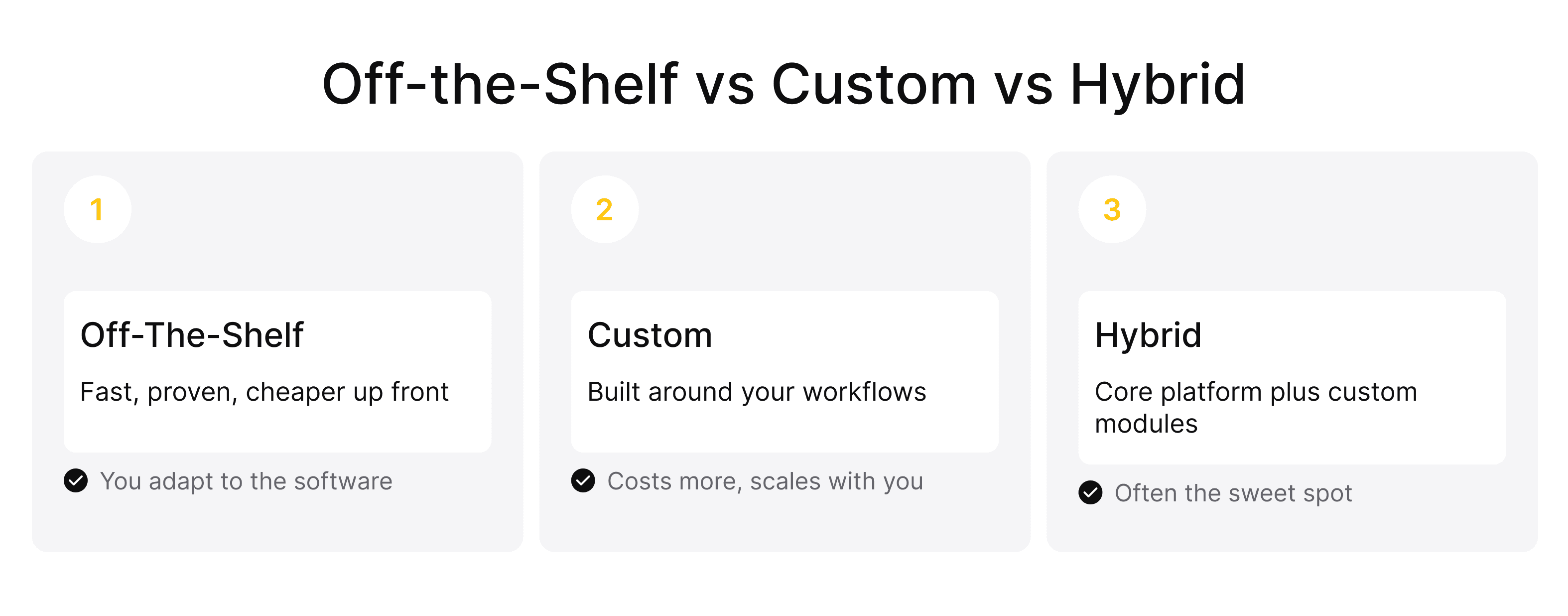
Ready-made platforms get you moving quickly. They're proven, well supported, and cheaper up front. For many mid-market companies, a solid supply chain planning software implementation on an established platform covers most of their needs without a line of custom code.
The trade-off is flexibility. You bend your processes to fit the software, rather than the other way around. For a fairly standard operation, that's usually a sensible compromise.
Custom-Built Supply Chain Software
When your workflows are your competitive edge, an off-the-shelf tool can start to feel restrictive. Custom supply chain software development shapes the system around the way you actually work, and leaves room to evolve as you grow.
 Click to expand
It does cost more and take longer, and there's no getting around that. Even so, for companies with genuinely unusual logistics, the investment often pays for itself. A hybrid setup that pairs a core platform with custom modules on top frequently lands in the sweet spot.
Finding the Right Implementation Partner
Whichever route you take, outside help usually earns its cost. A capable partner brings pattern recognition from dozens of past builds, so they tend to spot your mistakes before you make them.
Look beyond raw technical skill to real domain experience. When you hire ERP developers or a full delivery team, dig into how they handle data migration and change management. Weak partners almost always come undone at exactly those two points.
The Supply Chain Software Implementation Process, Step by Step
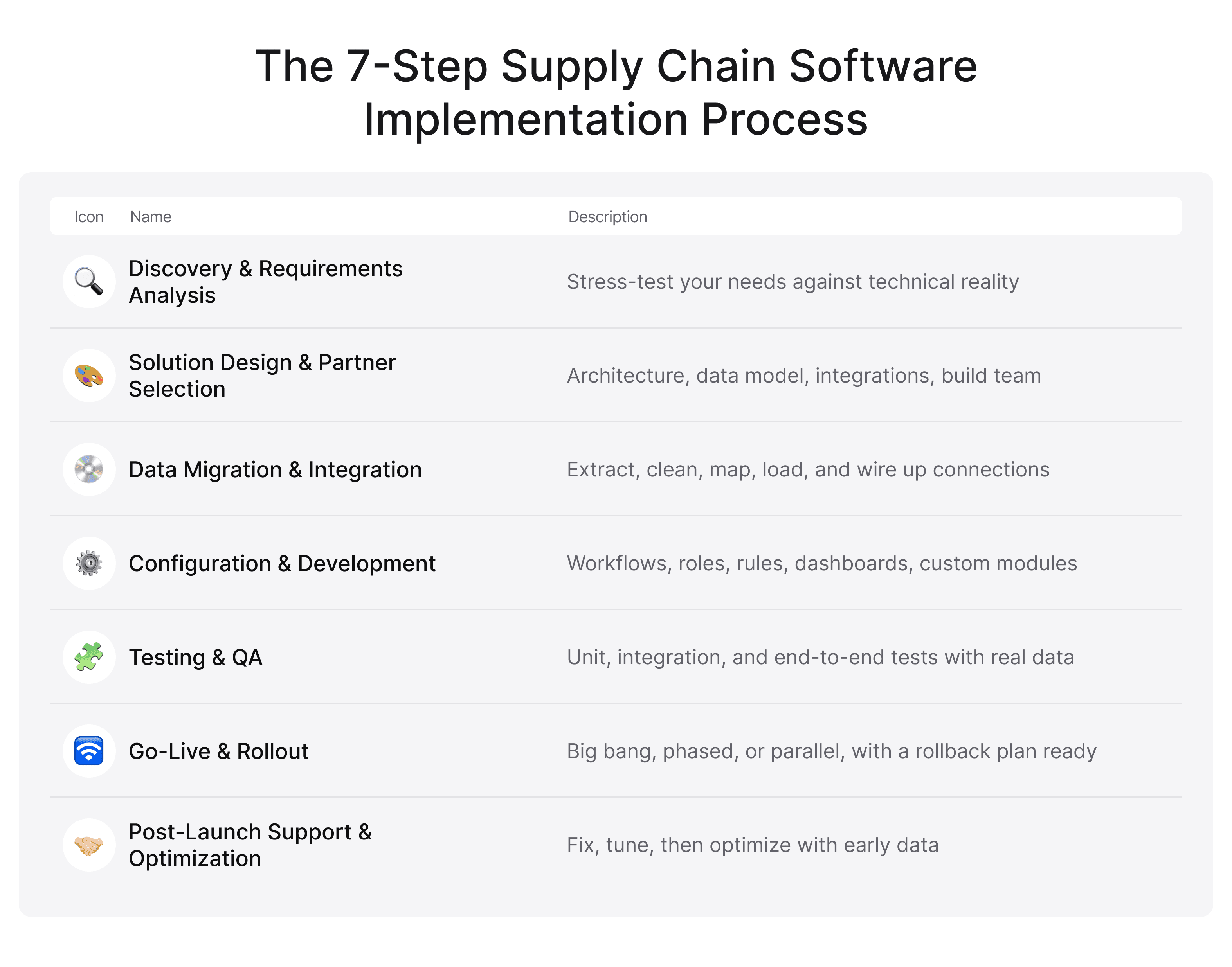
Now to the process itself. A structured scm implementation plan breaks the work into clear phases, so nothing slips through the cracks and no one gets blindsided partway through.
The scm implementation steps below will flex with your size and scope. The underlying sequence, though, holds up remarkably well across projects of every shape.
Step 1: Discovery and Requirements Analysis
Everything begins with discovery. Here, you stress-test the requirements you drafted earlier against technical reality and the messy edge cases that rarely surface in early meetings.
A thorough discovery phase brings the risky assumptions into the open before they derail the project. If you're unsure how to run one, structured discovery-phase services give you a ready framework of interviews, process audits, and a documented scope, all completed before a line of code is written.
Step 2: Solution Design and Partner Selection
With discovery wrapped up, you design the solution: the architecture, data model, integration points, and rollout approach. This is also the moment you confirm your vendor or build team and turn the plan into concrete work packages.
Careful design at this stage spares you plenty of nasty surprises later on. Ask for prototypes and mockups, too, so stakeholders can respond to something tangible rather than a slide deck full of promises.
Step 3: Data Migration and System Integration
This is the unglamorous core of the whole project. You extract data from legacy systems, clean it, map it, and load it into the new platform, all while wiring up every integration that needs to communicate with it.
Poor data quality quietly derails more migrations than anything else. So budget more time here than you feel comfortable with, then add a little extra on top for good measure.
 Click to expand
Step 4: Configuration and Development
Now the system starts to take your shape: workflows, roles, business rules, dashboards, and any custom modules. Off-the-shelf projects lean mainly on configuration, while custom builds lean on development.
Either way, keep your requirements document open and check every build against it. Scope drift has a habit of creeping in right here whenever attention slips.
Step 5: Testing and Quality Assurance
Test everything, then test it again with real users and real data. That means unit tests, integration tests, and full end-to-end runs that mirror how work truly happens on the floor.
Consider this your last inexpensive chance to catch problems. A bug found now costs a fraction of what the same bug would cost if discovered the week after launch.
Step 6: Go-Live and Rollout
Go-live is a decision in its own right, well beyond a date on the calendar. You'll choose a strategy, whether big bang, phased, or a parallel run, based on how much risk you can comfortably carry.
Phased rollouts tend to be gentler on your team and far easier to course-correct. Whatever you settle on, keep a rollback plan ready and extra support on hand for those first bumpy weeks.
Step 7: Post-Launch Support and Optimization
Launch is a milestone rather than the finish line. The weeks immediately after go-live are for smoothing rough edges, tuning performance, and helping people settle into the new way of working.
After that comes optimization: using early data to sharpen forecasts, automate more, and widen the scope. Understanding how AI transforms ERP systems can point you toward the next round of gains once the fundamentals are running smoothly.
How Long Does Implementation Take? A Realistic Timeline
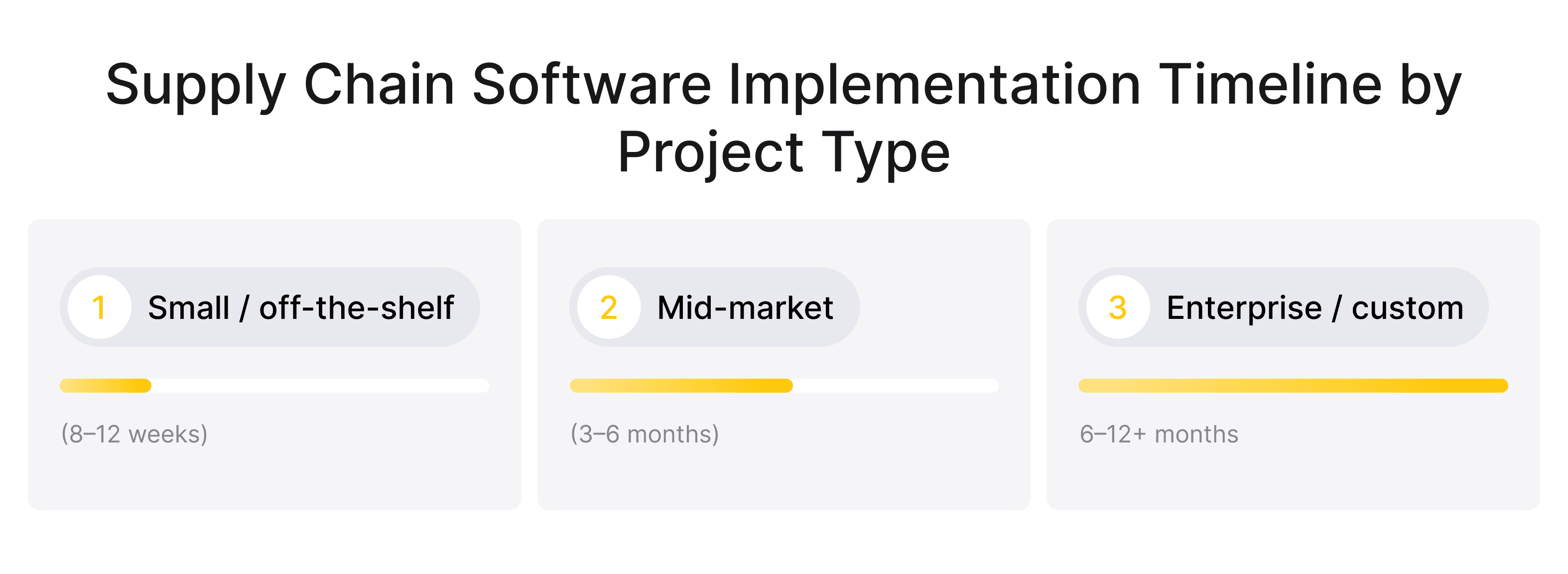
Everyone wants a straight number, so here's an honest one. A typical supply chain software implementation timeline ranges from about 3 months to a full year, and occasionally longer for large, highly customized systems.
Smaller off-the-shelf rollouts can land in roughly eight to twelve weeks. Enterprise programs with deep integrations, on the other hand, stretch well beyond that.
So what drives the range? Mostly scope, data quality, the number of integrations, and how decisively your team makes calls. Indecision, in fact, tends to cause more delay than technical complexity ever does.
 Click to expand
A well-run supply chain software implementation protects its schedule by locking scope early and firmly resisting the steady drip of "just one more thing" that appears every other week.
Training and User Adoption: Making It Stick
One truth gets overlooked again and again: even the finest system is worthless if nobody uses it properly. Good supply chain software implementation and training go hand in hand, since you can't tack training onto the very end and simply hope for the best.
Start training well before go-live rather than once the system is already running. Run role-based sessions so each person learns what their job requires, rather than sitting through a generic tour of every menu.
It also helps build champions within each team who can answer quick questions without anyone having to raise a support ticket. Keep the momentum going, too, with refreshers, short reference guides, and a real feedback loop.
Ultimately, investing in supply chain software implementation and training early is the cheapest insurance you'll ever buy against a failed rollout.
Common Implementation Challenges - and How to Avoid Them
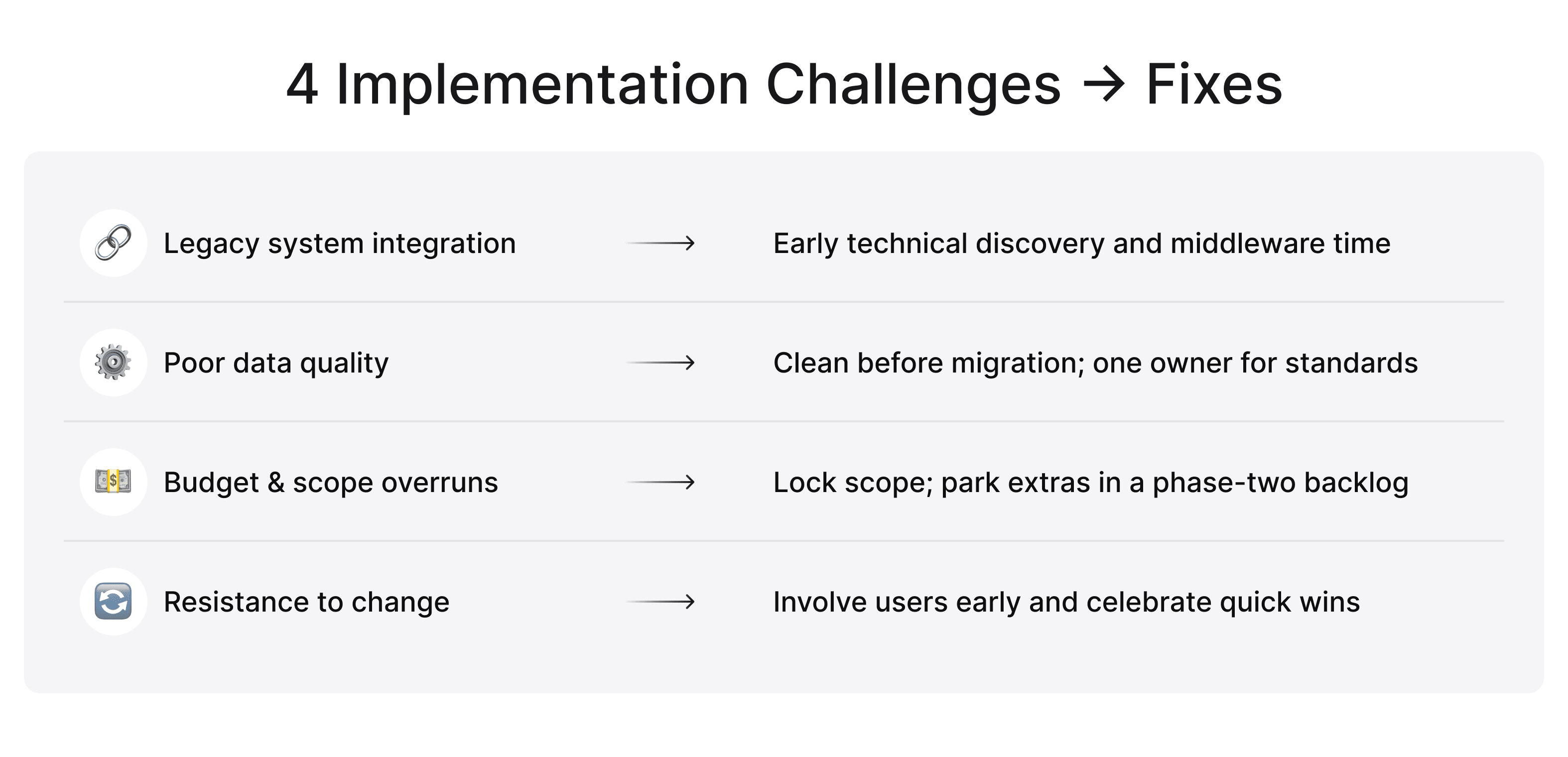
Every project hits turbulence at some point. The key is anticipating where it will come from, so you can plan around it in advance. Most of the pain in an scm implementation clusters into four familiar buckets, and none of them should catch you off guard.
Integration With Legacy Systems
Older systems rarely cooperate willingly. Legacy ERPs, homegrown tools, and outdated file formats can turn a tidy integration plan into a slow grind.
The remedy is early technical discovery. Track down the awkward connections before they catch you off guard, and set aside dedicated time for middleware and testing. As a general rule, assume the oldest system in the mix will fight you hardest.
 Click to expand
Data Quality and Migration Issues
Garbage in, garbage out, and there's almost always more garbage lurking than anyone cares to admit. Think duplicate records, missing fields, and inconsistent naming conventions.
Clean your data before migration rather than during it. Set clear standards, put one person in charge of quality, and you'll avoid firefighting for months after launch.
Budget and Scope Overruns
Scope creep is the quiet budget killer. Every "small addition" stacks up far faster than you'd expect.
A disciplined scm implementation stays inside its original scope and parks fresh requests in a phase-two backlog. Build in a contingency as well; plan for 15 to 12 % over your estimate, and count yourself lucky if you come in under.
Resistance to Change
People naturally resist what they don't understand or never asked for. When a rollout feels like something imposed on your team rather than shaped with them, expect pushback.
So involve users early, explain the reasoning in plain language, and celebrate quick wins openly. Change management is no soft add-on here; more often than not, it determines whether you achieve real adoption or end up with quiet sabotage.
What Supply Chain Software Implementation Costs
Now for the money, since "it depends" helps nobody on its own. The cost of a supply chain software implementation ranges widely, from tens of thousands for a small off-the-shelf rollout to seven figures for large, custom enterprise programs with deep integrations.
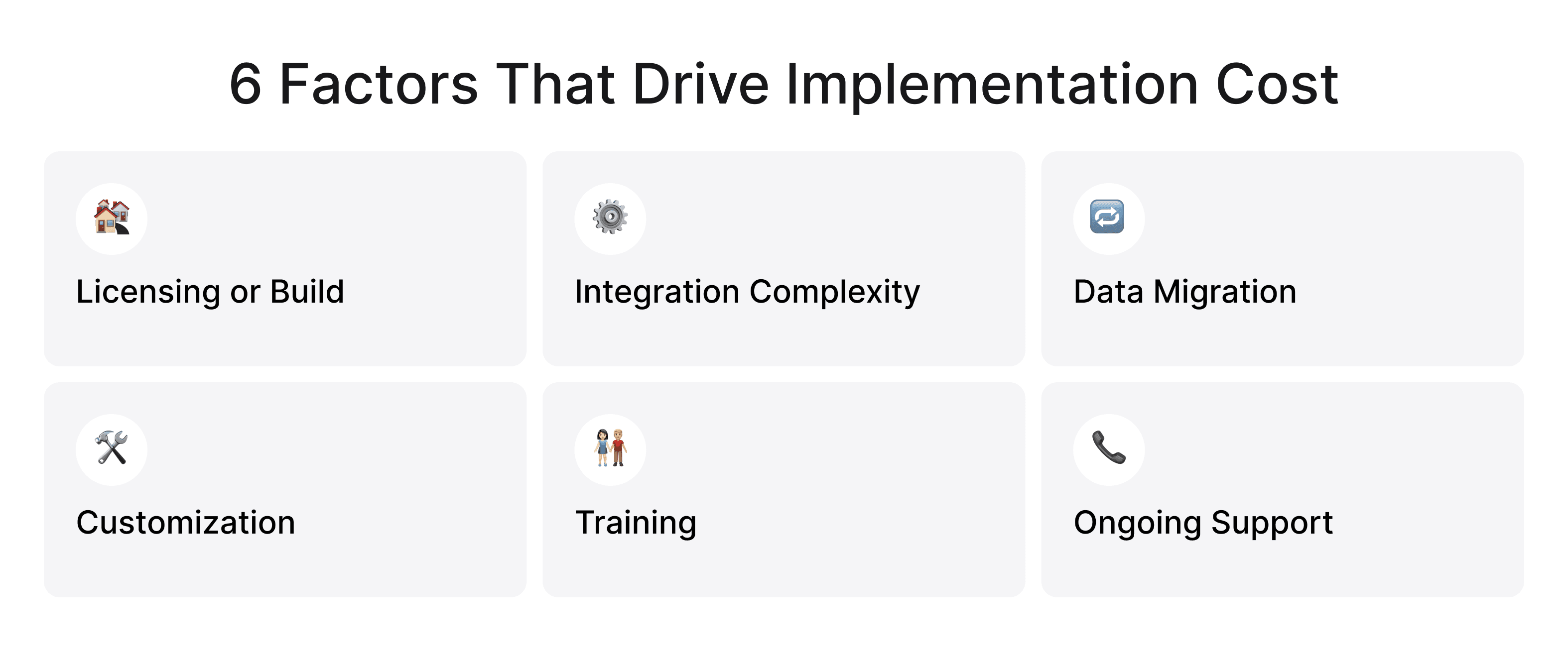
The main cost drivers are fairly predictable: licensing or build cost, integration complexity, data migration, customization, training, and ongoing support. It's the hidden ones that catch people out, including internal staff time, a temporary dip in productivity during the transition, and post-launch maintenance.
 Click to expand
Those quiet line items tend to blindside finance later on, so name them out loud while you're still planning. A handy rule of thumb: whatever the license or build quote comes to, set aside a similar amount again for everything wrapped around it. The projects that blow up financially are almost always the ones budgeted for software alone.
Best Practices for a Smooth, Low-Disruption Rollout
A few habits reliably separate the smooth projects from the painful ones. Start with clear goals and measurable KPIs, because you can't manage what you never defined in the first place.
From there, secure genuine executive sponsorship, since stalled decisions sap momentum faster than any technical bug. Clean your data early, phase the rollout so you can learn as you go, and put real effort into communication and training. None of this is glamorous, yet those steady, unremarkable habits are exactly what keep a project on track.
Above all, treat the implementation of supply chain management software as a business project with IT support, rather than an IT project that the wider business merely tolerates.
One final point, and it's an underrated one. Keep your scope honest. A focused supply chain software implementation that ships a tight first release will beat an ambitious one that never quite launches, and you can always expand later.
Implementing Supply Chain Software With Incora
This is the stage where a seasoned partner truly proves its worth. At Incora, we build custom supply chain and ERP solutions for companies that have outgrown off-the-shelf tools, covering everything from discovery and architecture through to integration, migration, and post-launch support.
A well-run supply chain management software implementation starts with a deep understanding of your operations. Only then can we build something your team actually wants to open each morning.
So whether you need a full custom build, a smart integration layered onto an existing platform, or simply a team that has walked this road many times before, we can help you scope the work honestly and deliver it without upending your day-to-day operations.
Thinking about a supply chain software project?
Let's map out your scope, timeline, and budget before you commit to anything.
Final Takeaway
If one idea is worth holding onto, it's this: success is decided long before go-live. The teams that come out ahead invest early in requirements, data, and people, because the software itself is very nearly the easy part.
So move deliberately, keep your scope tight, back your users, and choose a partner who's honest about what might go wrong. Get those right, and the technology quietly does its job while your business runs measurably better than it did before.
FAQ
What is supply chain software implementation?
It's the complete process of choosing, configuring, integrating, and rolling out software that plans and coordinates the flow of goods, data, and money across your supply chain. In practice, that covers everything from requirements gathering and data migration to testing, training, and post-launch support, well beyond simply installing a tool.
What are the main steps in an SCM implementation plan?
The core scm implementation steps are discovery and requirements analysis, solution design and partner selection, data migration and integration, configuration and development, testing, go-live, and post-launch optimization. Working through them in order keeps the whole project predictable and considerably less stressful.
How long does supply chain software implementation take?
Expect anywhere from roughly eight weeks for a small, standard rollout to a year or more for large, customized systems. Scope, the number of integrations, and your data quality are the three factors that most affect the timeline.
How much does it cost to implement supply chain software?
Costs run from tens of thousands for small off-the-shelf projects up to seven figures for enterprise custom builds. Beyond the software itself, be sure to budget for integration, data migration, training, and ongoing support, since that's where most surprises tend to hide.
What are the biggest challenges in SCM implementation?
The usual four are legacy system integration, poor data quality, scope and budget overruns, and user resistance. Each one stays manageable with early planning, clean data, disciplined scope control, and real change management from day one.


YOU MAY ALSO LIKE


Get in Touch
Got no clue where to start? Why don't we discuss your ideas?

