



By Bohdan Vasylkiv
- CEO & Co-Founder
Construction Progress Tracking: Methods, Metrics, and Tools
A practical guide to construction progress tracking - the methods, metrics, software, and AI tools that keep projects on schedule and on budget.
Key Takeaways
- Real progress is measured in completed work, not in hours logged or gut-feel percentages.
- A clean baseline schedule is the foundation every other metric depends on.
- Photos, reality capture, sensors, and AI each solve a different part of the problem.
- Software only pays off when it connects your schedule, field data, and cost system.
Ask 3 people on the same project how far along it is, and you'll get 3 answers. The superintendent has one number, the scheduler has another, and the report that reached the owner on Friday says something else entirely.
Nobody is lying. They're just working from different data, gathered at different times, in different formats. That's the quiet failure mode of construction progress tracking — it's rarely wrong on purpose, it's just late and subjective.
The trouble is that a gap between the plan and the site gets more expensive every week it goes unnoticed. So let's make it visible: what to measure, how to collect it, where teams usually slip, and which tools are worth paying for.
What Construction Progress Tracking Really Involves
Construction progress tracking is the process of measuring how much work has actually been completed on a project and comparing it against the planned schedule and budget, using field reports, photos, site measurements, and schedule updates as evidence.
In practice, it answers 3 questions:
- What got built?
- When did it get built?
- And how far does that sit from the plan?
You'll hear the same work called "construction progress monitoring," usually when the emphasis is on continuous observation rather than on a report someone assembles on Friday afternoon. The label matters less than the purpose.
Because documentation tells you what happened, tracking tells you what's about to happen if nothing changes. That's the whole difference, and it's worth a lot of money.
Why Progress Tracking Makes or Breaks a Project
Tracking feels like overhead right up until the week it saves you six figures. Three reasons it carries more weight than most teams admit.
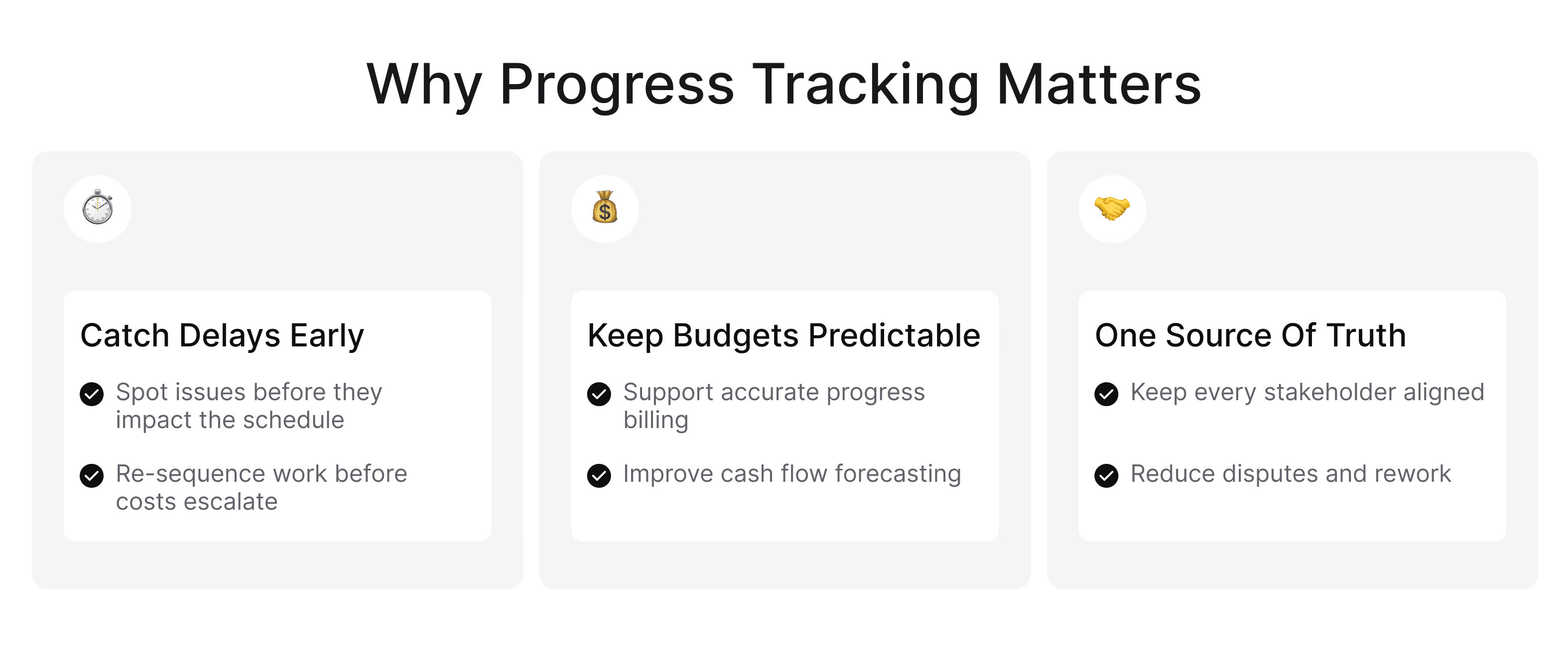
Catching Delays Before They Snowball
Construction schedules are chains. A two-day slip on a slab pour becomes a two-week slip in framing, because by the time you're ready, the crane crew has moved to another job.
Catch that slip on day two and you re-sequence. Catch it at the monthly review, and you're paying for acceleration, overtime, or liquidated damages. Good data isn't about precision for its own sake — it's about how many days of warning it buys you.
 Click to expand
Keeping Budgets and Cash Flow Predictable
Your billing rests on it. Progress payments, draw requests, retainage releases — each one is a claim about how much work is in place.
When that claim is soft, you get disputed invoices, slow payments, and a lender asking pointed questions. Reliable data also sharpens forecasting: if your concrete crew is running 15 % under planned output in month two, you can price the overrun now instead of discovering it at closeout.
Giving Every Stakeholder a Single Source of Truth
Owners, general contractors, subs, architects, and lenders all want the same answer. They routinely get four different ones, and that gap breeds rework, finger-pointing, and change-order fights nobody wins.
One shared record fixes most of it — one schedule, one stream of field updates, one place where photos live. It's exactly why so much construction software development today aims at killing the weekly spreadsheet reconciliation.
What to Actually Measure: Metrics That Signal Real Progress
You can measure almost anything on a job site. Only a handful of numbers tell you whether the project lands on time.
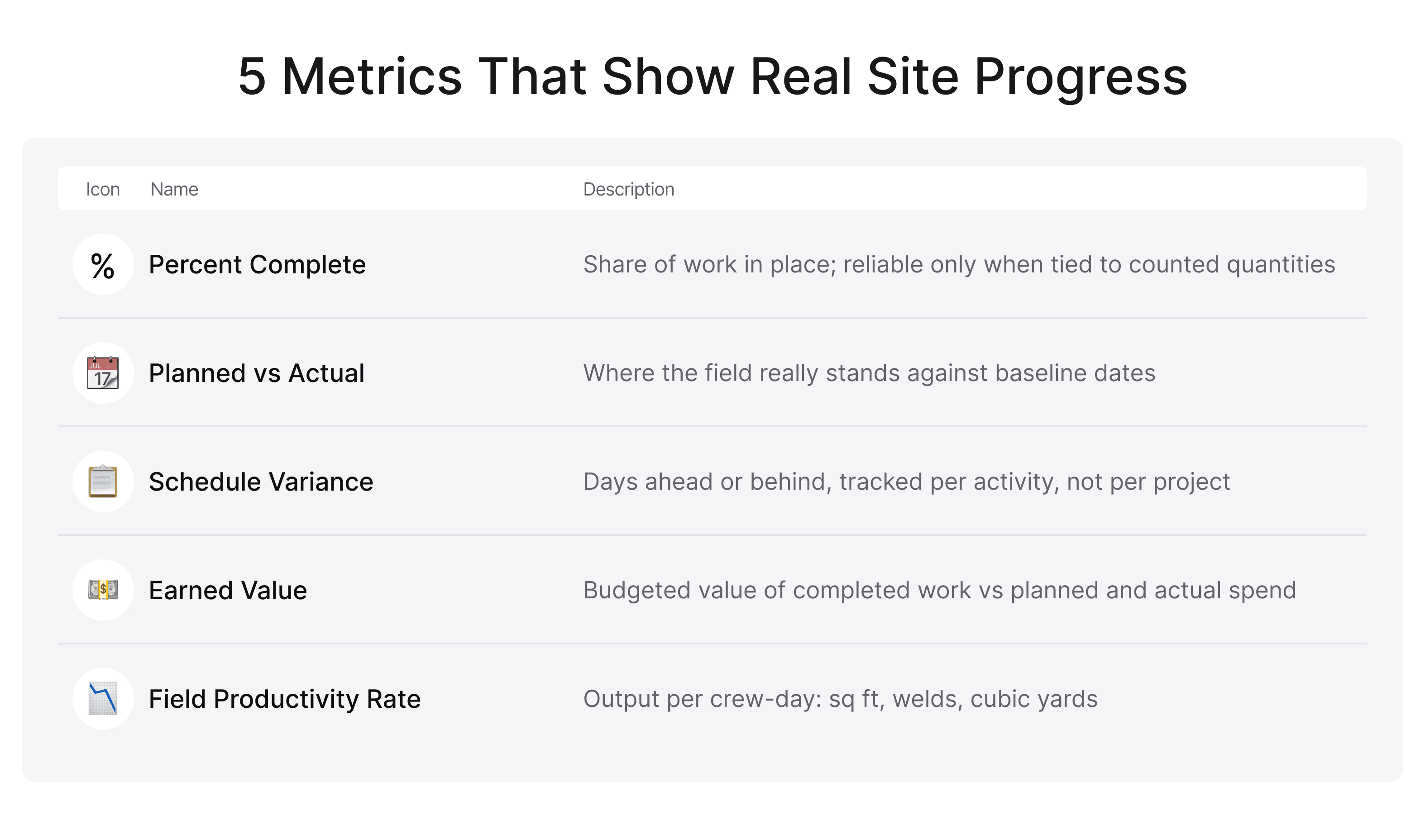
Percent Complete — and Why It Can Mislead
Percent complete is the number everyone reports and the one everyone games. Ask a foreman how far along a task is, and you'll get an honest guess shaped by optimism, pressure, and the fact that the last 10 percent of any activity takes forever.
The fix is simple: tie the percentage to something countable. Linear feet of pipe installed. Panels hung. Units drywalled. Countable beats confident every time.
 Click to expand
Planned vs. Actual and Schedule Variance
This is the comparison that drives everything else. Planned progress comes from your baseline, actual comes from the field, and the gap between them is schedule variance. Track it by activity, not just at project level. A job sitting comfortably at "on schedule" can be hiding one critical-path activity that's ten days late and three that finished early. Averages lie. Line items don't.
Earned Value and Field Productivity Rates
Earned value pulls cost and schedule into one view: the budgeted value of completed work, against what you planned to spend and what you actually spent.
Next to it, watch productivity rates — square feet per crew-day, welds per shift, cubic yards per hour. That's the core of construction production tracking, and it's the earliest warning you'll get that a trade is underperforming, long before the schedule shows it.
How to Track Construction Progress, Step by Step
If you're working out how to track construction progress without adding three hours of admin to everyone's week, this four-step sequence is the shortest path that still holds up under scrutiny.
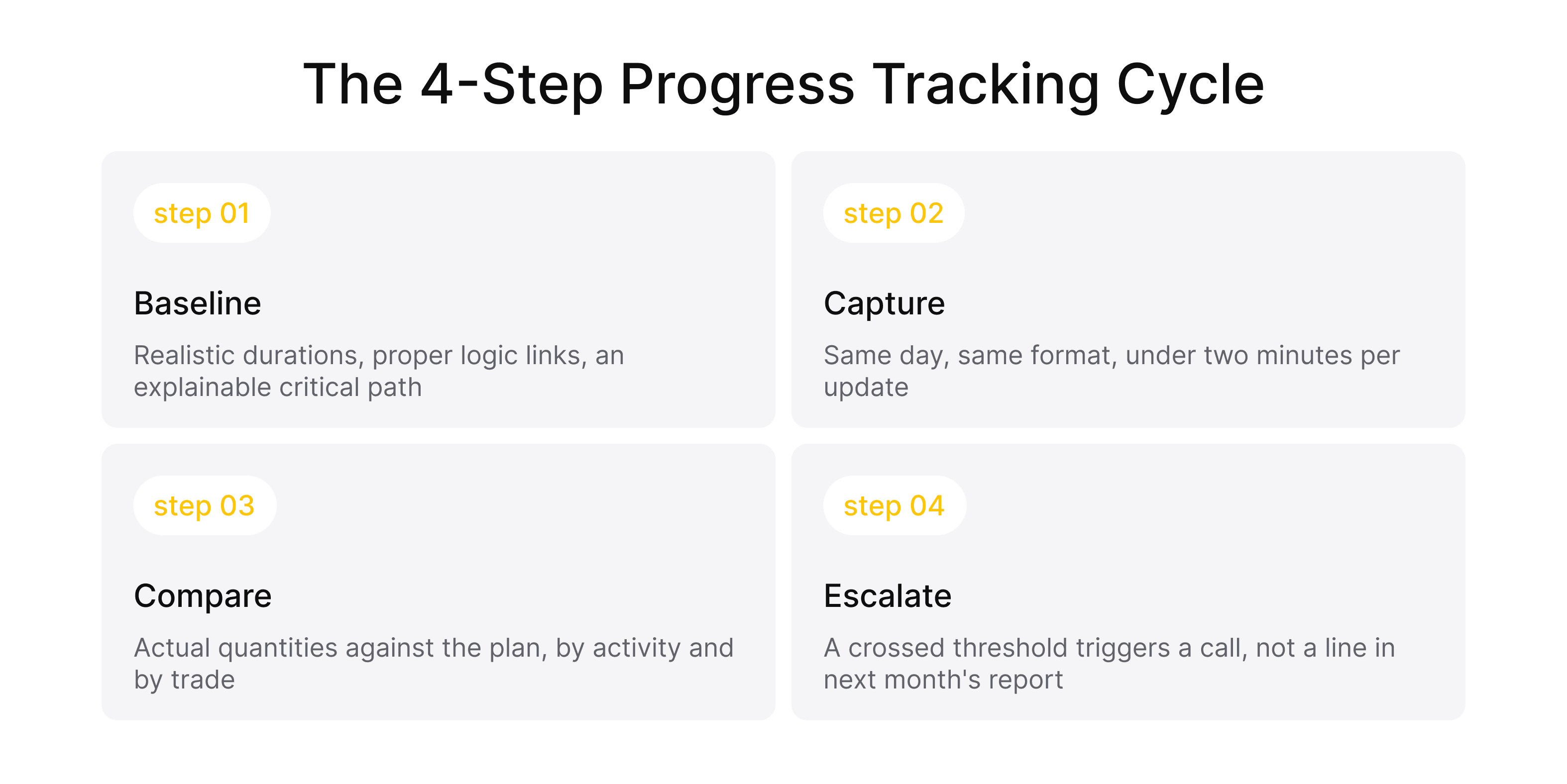
Set a Reliable Baseline Schedule
Everything downstream compares against this, so it has to be defensible: realistic durations, proper logic links, no open-ended activities, and a critical path you can explain out loud.
A baseline built to please a client in a kickoff meeting will produce nonsense for the next 18 months.
Capture Field Updates Consistently
Consistency beats sophistication here. Same day, same format, same level of detail — whether that's a mobile form, a structured construction site inspection routine, or construction site progress tracking software your crews open on a phone.
 Click to expand
One rule of thumb: if an update takes more than 2 minutes, it gets done in the truck at 5 p.m. from memory. And then you're back to guesswork.
Compare Actuals Against the Baseline
Update the schedule with real dates and real quantities, then review variance by activity and by trade.
Watch remaining durations too. An activity that's been "80 percent complete" for three weeks is telling you something, and it isn't good news.
Flag Deviations and Communicate Early
A variance nobody acts on is just a number in a report. Set a threshold — say, any critical-path activity more than three days behind — and make crossing it trigger a phone call, not a footnote in next month's summary.
Bad news travels badly on construction projects. Build the channel that makes it easy before you need it.
Methods of Tracking Construction Progress
There's no single right approach. Most teams blend two or three construction project progress tracking methods, matching effort to what's at stake in that part of the job. If you're mapping the wider landscape first, our breakdown of types of construction software is a useful companion to this section.
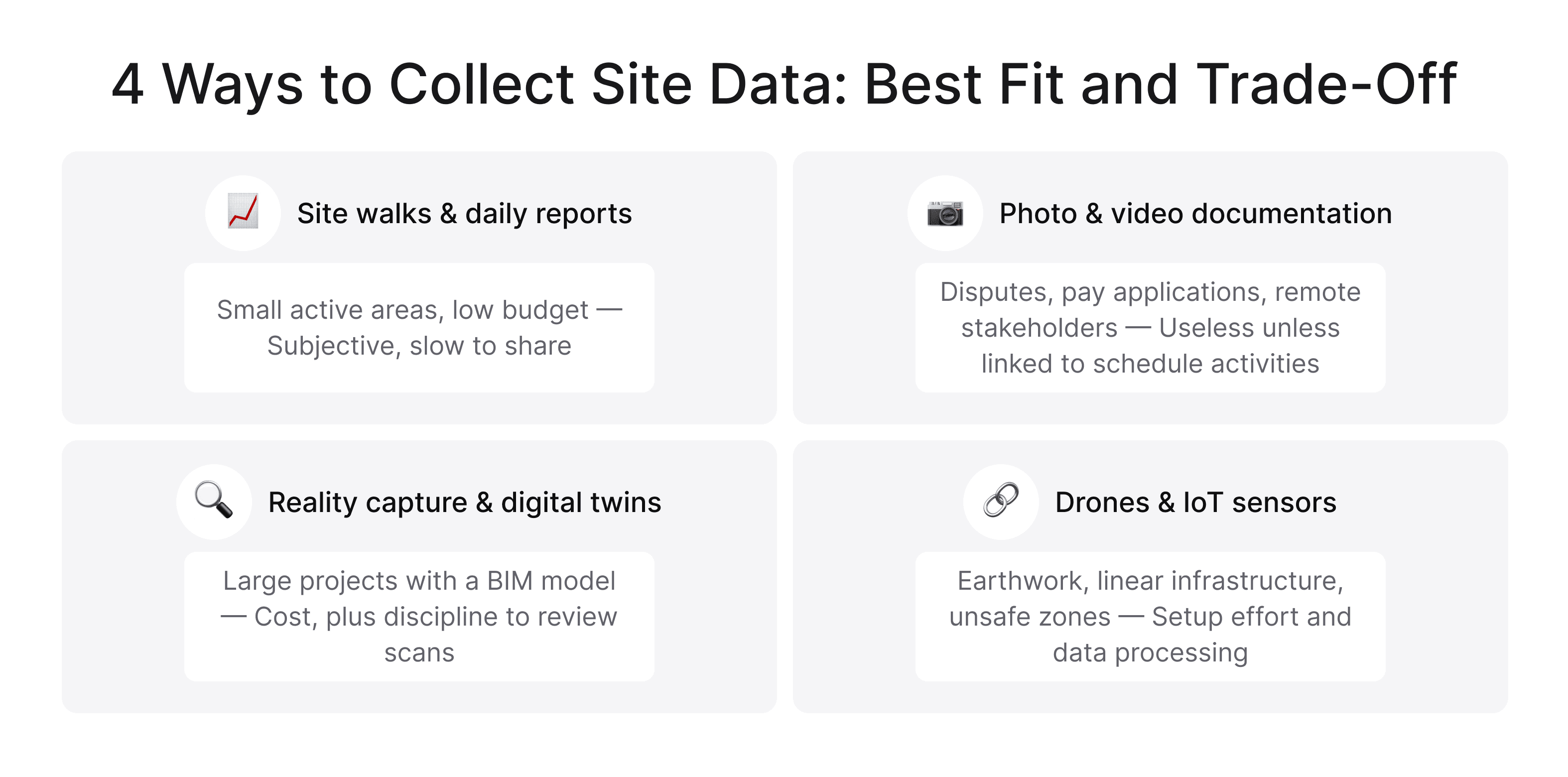
Manual Reports and Site Walks
Daily reports, superintendent walks, and a notebook still do real work. They're cheap, need no rollout, and an experienced super spots things no camera catches.
The weakness is obvious. The data is subjective; it lives in one person's head until it's typed up, and it doesn't scale past a couple of active areas.
 Click to expand
Photo and Video Documentation
Time-stamped, location-tagged photos are the cheapest upgrade available to most teams. They settle disputes, support pay applications, and give remote stakeholders something concrete to look at.
For photo evidence to genuinely support construction progress tracking rather than just archive it, though, images have to be tied to specific schedule activities. Otherwise you've built a very large folder nobody opens.
Reality Capture and Digital Twins
360-degree walkthroughs, laser scans, and point clouds capture the site as it stands, then compare it against the BIM model. You get objective, measurable answers about what's installed — and whether it sits where the drawings said it would.
Weekly capture on a large project is now routine. The trade-off is cost, plus the discipline to actually review what you collect.
Sensor- and Drone-Based Monitoring
Drones handle earthwork volumes and exterior progress beautifully. IoT sensors track equipment use, concrete curing, and material movement.
This is where construction progress monitoring starts running close to real time, with data flowing in and nobody filling out a form. Best fit: large sites, linear infrastructure, and anywhere getting eyes on the work is slow or unsafe.
Where AI Is Reshaping Construction Progress Tracking
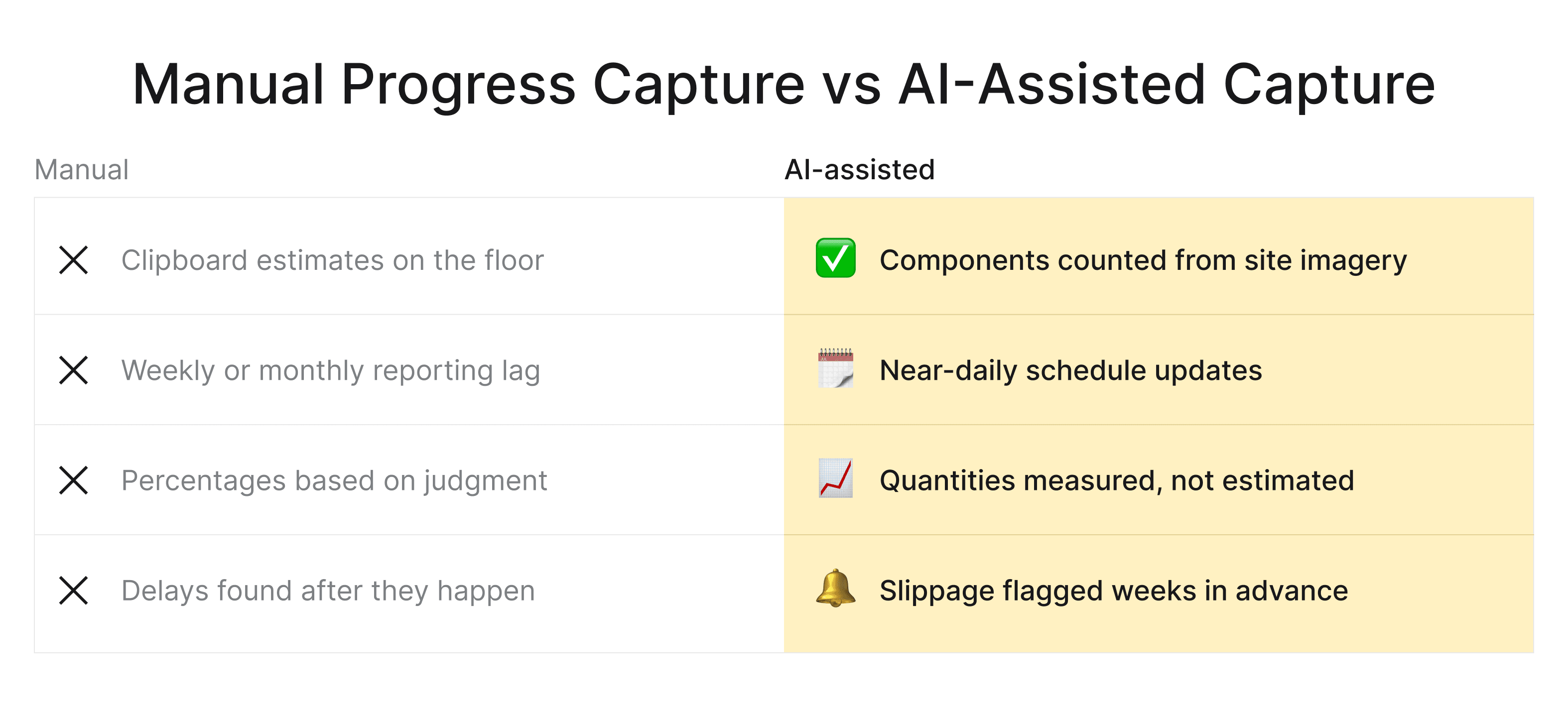
Here's where the last few years have moved fast. Computer vision models can look at site imagery and identify which components are installed — studs framed, ductwork hung, rooms drywalled — then push that straight into the schedule. Nobody walks the floor with a clipboard estimating percentages.
The second shift is predictive. Instead of only reporting variance, models trained on your historical productivity flag activities likely to slip weeks before they do.
 Click to expand
That's what AI construction progress tracking looks like in practice: less reporting on the past, more warning about the near future. Our AI construction planning case study shows how the same logic extends into estimation and planning.
That said, keep expectations honest. These models need consistent image capture, a well-structured schedule, and clean historical data. Feed them a messy baseline, and you'll get confident, well-formatted nonsense.
Choosing Construction Progress Tracking Software
The market is crowded, and most demos look identical. Cut through it by asking what the tool does with your data, not what it shows on a dashboard.
Must-Have Features to Look For
Any serious construction progress tracking software should cover these without customization:
- Mobile capture that works offline, because basements have no signal.
- Two-way schedule integration, so updates land in the plan rather than a parallel spreadsheet.
- Photo and video management tied to locations and specific activities.
- Role-based permissions, since owners, subs, and lenders need very different views.
- Configurable reports your client will actually open.
Integrations With Your Schedule, BIM, and ERP
This is where most implementations quietly fail. A tool that can't talk to Primavera or MS Project, your BIM model, and your accounting system just adds another place to type the same numbers.
Ask about APIs. Ask what syncs both ways. Ask what happens when the same field changes in two systems at once. Strong construction progress monitoring software treats integration as the product, not a checkbox — and when nothing off the shelf fits, custom software development services usually cost less than years of manual workarounds.
Where Progress Tracking Usually Goes Wrong
Most failures aren't technical. They're habits that quietly hollow out construction project progress tracking until the reports look fine and mean nothing.
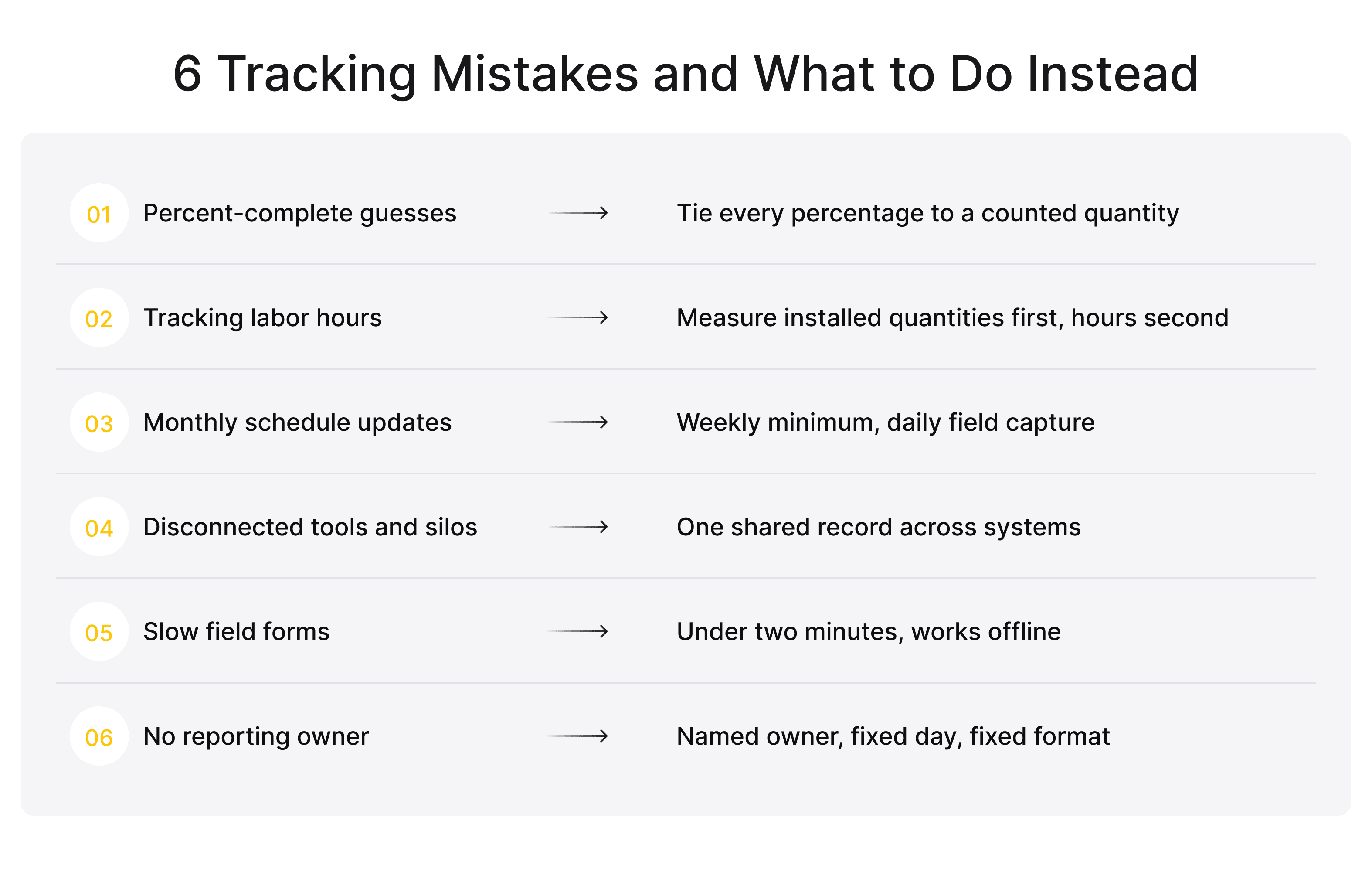
Relying on Percent-Complete Guesses
When percentages come from opinion instead of counted quantities, they drift upward. The project looks healthy until it obviously isn't, and then the whole correction lands in one brutal week.
Tracking Labour Hours Instead of Completed Work
Hours burned tell you what you spent, not what you got. A crew can log a full week and install half of what was planned. Measure installed quantities first, then use hours to explain the productivity behind them.
 Click to expand
Updating the Schedule Too Rarely
A monthly update on a project with weekly-moving parts hands you a picture that's three weeks stale. Weekly is the practical minimum on most jobs, and daily field capture feeding a weekly update is better still.
Disconnected Tools and Data Silos
Field app here, schedule there, photos in a shared drive, costs in accounting. Nobody reconciles them in time, so every stakeholder trusts their own copy and meetings become arguments about whose numbers are right.
Poor Field Data Capture
If capturing an update is slow, confusing, or needs a signal you don't have, it won't happen properly. Design for the reality of the site: gloves, glare, no connectivity, and about ninety seconds of patience.
Ignoring Schedule Quality as the Baseline
You can't measure progress against a bad plan. Missing logic links, unrealistic durations, and activities with no predecessors produce variance numbers that are mathematically valid and practically meaningless.
No Clear Owner or Cadence for Reporting
When tracking is everyone's job, it's nobody's job. Name the person responsible, set the day, set the format, and hold to it even in the weeks when nothing much moved.
Best Practices for Accurate, Near-Real-Time Tracking
A few habits separate teams whose numbers hold up from teams who find out at closeout:
- Tie every percentage to a countable quantity.
- Keep field capture under two minutes per update.
- Update weekly at minimum, and review variance by activity rather than by project.
- Give owners a live read-only view instead of a curated PDF — transparency shortens arguments.
- Agree on escalation thresholds before the first delay, not after it.
And start narrow. Pick one trade or one building, get the workflow solid, then expand. Rolling out construction progress tracking across a whole portfolio in one go is exactly how good tools end up abandoned by month 3.
Building Custom Progress Tracking With Incora
Off-the-shelf platforms handle common cases well. They struggle when your process is the thing that makes you competitive — self-perform trades with unusual production metrics, portfolio reporting across joint ventures, or a legacy ERP nobody is replacing this decade.
That's the work we do at Incora. We build construction platforms that connect field capture, schedules, BIM data, and cost systems into a single workflow, including computer-vision pipelines that read site imagery and update progress automatically.
Not sure where to start with construction progress tracking?
We can help you figure out what's actually slowing you down and what to build first.
You can start small with a discovery phase to pin down scope and cost, or bring in a dedicated development team to work alongside your in-house people. Either way, the system fits your process instead of the other way around — and you own what gets built.
Final Takeaway
Accuracy comes from three things: measuring completed work, updating often, and getting the numbers to people who can act on them.
Technology matters less than that discipline. Although once the discipline is there, the right tools multiply it fast. Start with your baseline schedule and your field capture — everything else builds on those two.
FAQ
What is construction progress tracking?
It's the practice of measuring completed work on a project and comparing it against the planned schedule and budget. Evidence comes from field reports, photos, site scans, and schedule updates. The goal is to catch deviations early enough to correct them, not to document them after the fact.
How do you track construction progress?
In 4 steps: set a reliable baseline schedule, capture field updates on a fixed cadence, compare actual quantities against the plan, and escalate variances the moment they cross an agreed threshold. Teams asking how to track construction progress usually already collect the data — what's missing is the cadence and a clear owner.
What metrics are used to measure construction progress?
The core 5 are percent complete tied to countable quantities, planned versus actual dates, schedule variance, earned value, and field productivity rates such as output per crew-day. Cost performance index and remaining duration trends are worth watching alongside them.
What software is used for construction progress tracking?
Teams typically combine scheduling platforms, field management apps, reality-capture tools, and drone survey services. The better construction progress tracking software integrates with your schedule, BIM model, and accounting system instead of standing alone — integration is what separates a useful tool from another data silo.
How is AI used in construction progress tracking?
AI is used in 2 ways: computer vision reads site photos and scans to identify installed components automatically, and predictive models flag activities likely to slip based on historical productivity. The AI progress tracking construction teams adopt today removes manual counting and shifts reporting from backward-looking to forward-looking.


YOU MAY ALSO LIKE




Get in Touch
Got no clue where to start? Why don't we discuss your ideas?

