



By Tetiana Stoyko
- CTO & Co-Founder
ERP and CRM Integration: Complete Guide for Businesses
Learn how CRM ERP integration works, its benefits, use cases, costs, and best practices for connecting CRM and ERP systems at scale.
Most growing businesses don’t fail because they lack systems. They fail because their systems don’t agree.
Sales closes deals, operations struggle to fulfill. Finance questions revenue numbers coming from the CRM. Customer support can’t seethe order status without checking multiple tools or asking someone internally.
Integration of ERP and CRM exists to solve this problem by aligning how a business sells with how it delivers, bills, and supports customers. It ensures that customer-facing activity is grounded in operational reality instead of assumptions.
If you’re scaling your business, these gaps become harder to manage manually and more expensive to fix later.
In this guide, we’ll break down how the integration actually works.
We’ll cover where it delivers measurable value, what it costs, and why it often fails in practice. This is written for decision-makers who need clarity and trade-offs, not tool-level tutorials or vendor pitches.
Key Takeaways
- Integrating CRM with ERP aligns customer intent with operational reality. Sales promises match inventory, pricing, and fulfillment.
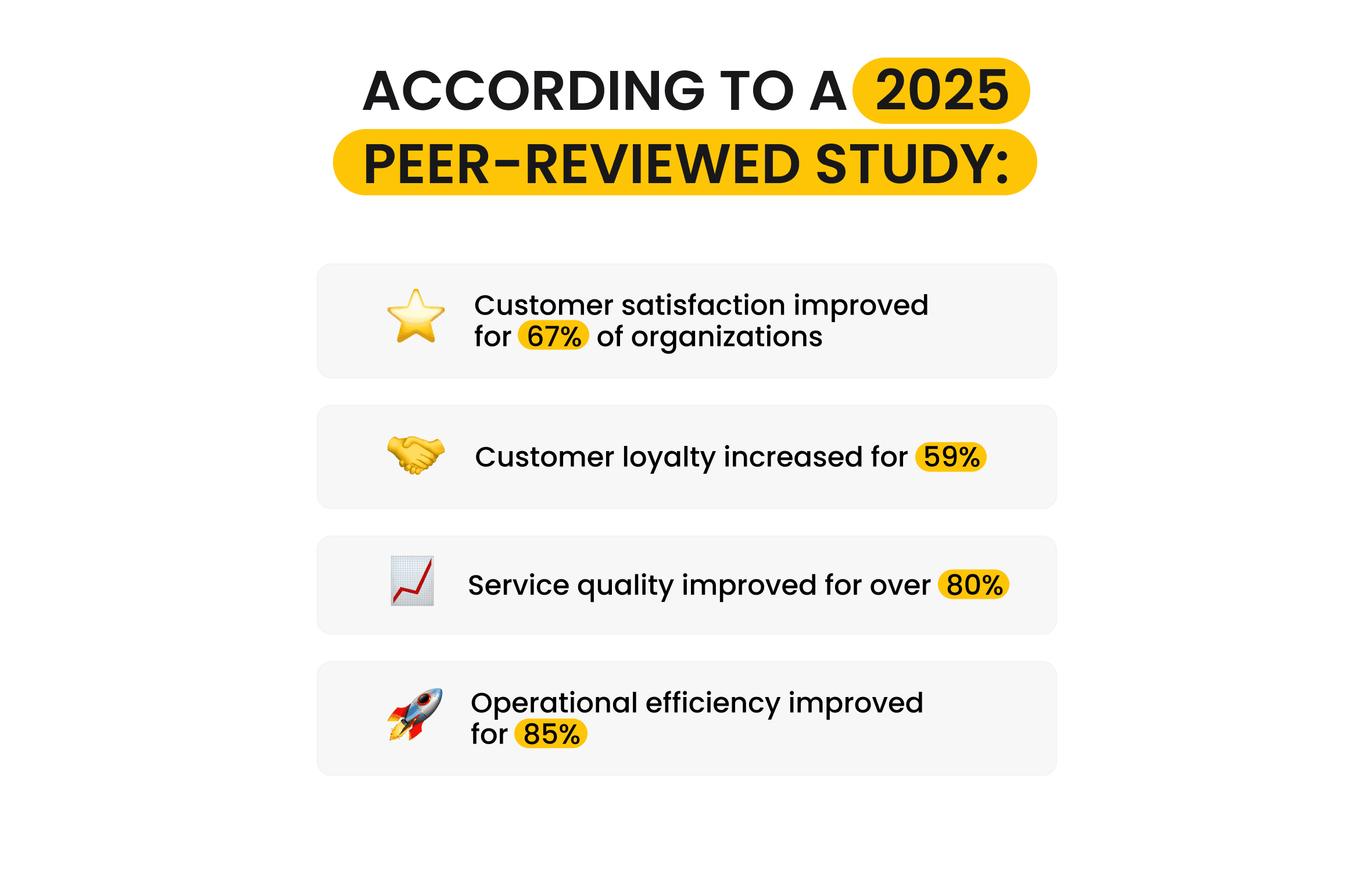
- Integrated systems improve customer outcomes measurably. A 2025 quantitative study reported higher satisfaction, loyalty, service quality, and operational efficiency after integration.
- Most integration failures are organizational, not technical. Data ownership, process alignment, and user adoption matter more than tools.
- There is no single “best” integration method. The right approach depends on scale, complexity, and internal capability.
- Integration is an ongoing capability, not a one-time project. Systems, data, and workflows evolve continuously.
What Is CRM and ERP Integration?
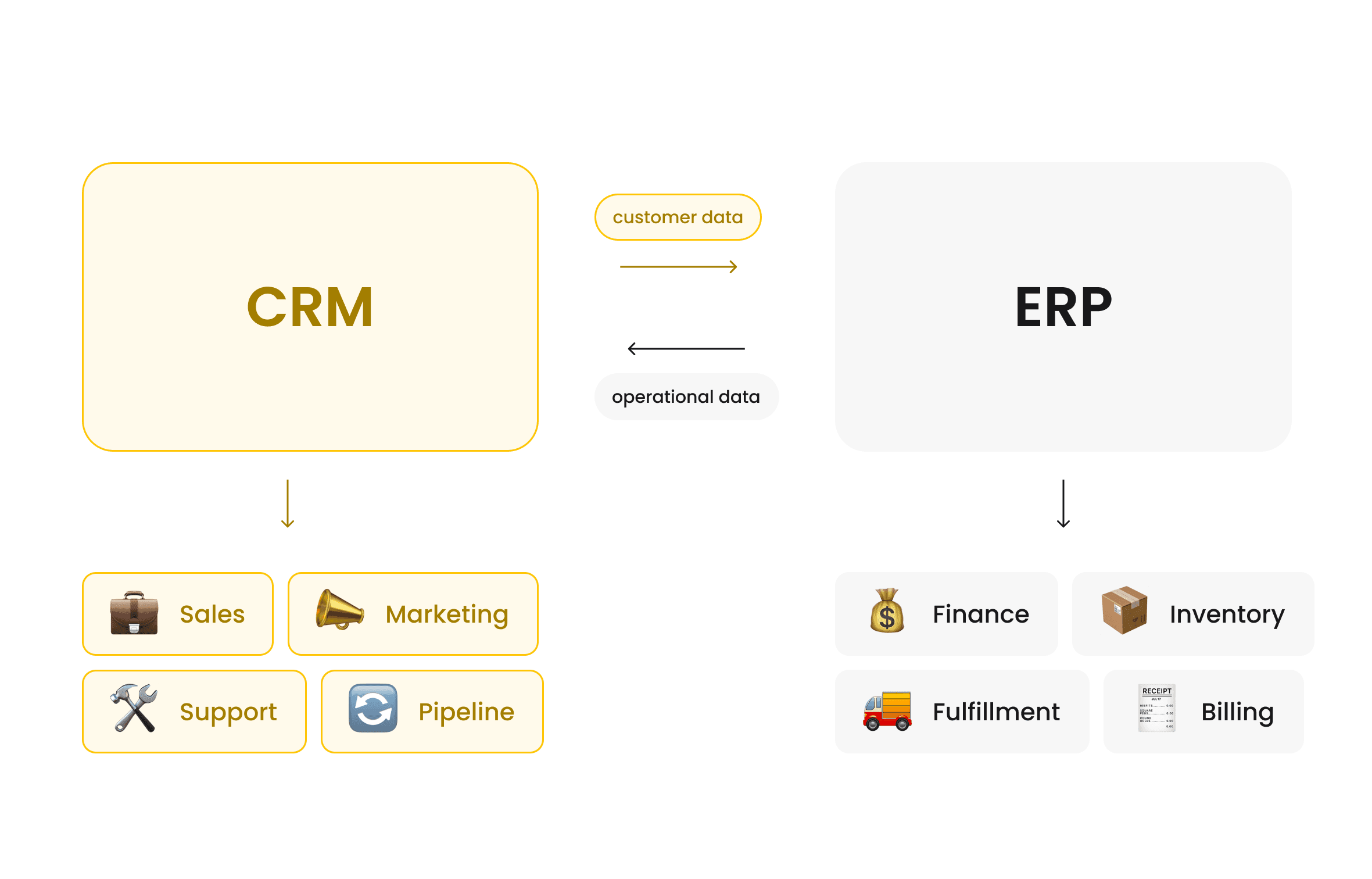
CRM and ERP integration synchronizes customer and operational data so customer-facing decisions reflect real-time operational reality.
The purpose of this synchronization is to ensure that decisions made in customer-facing teams are grounded in operational reality.
In simple terms:
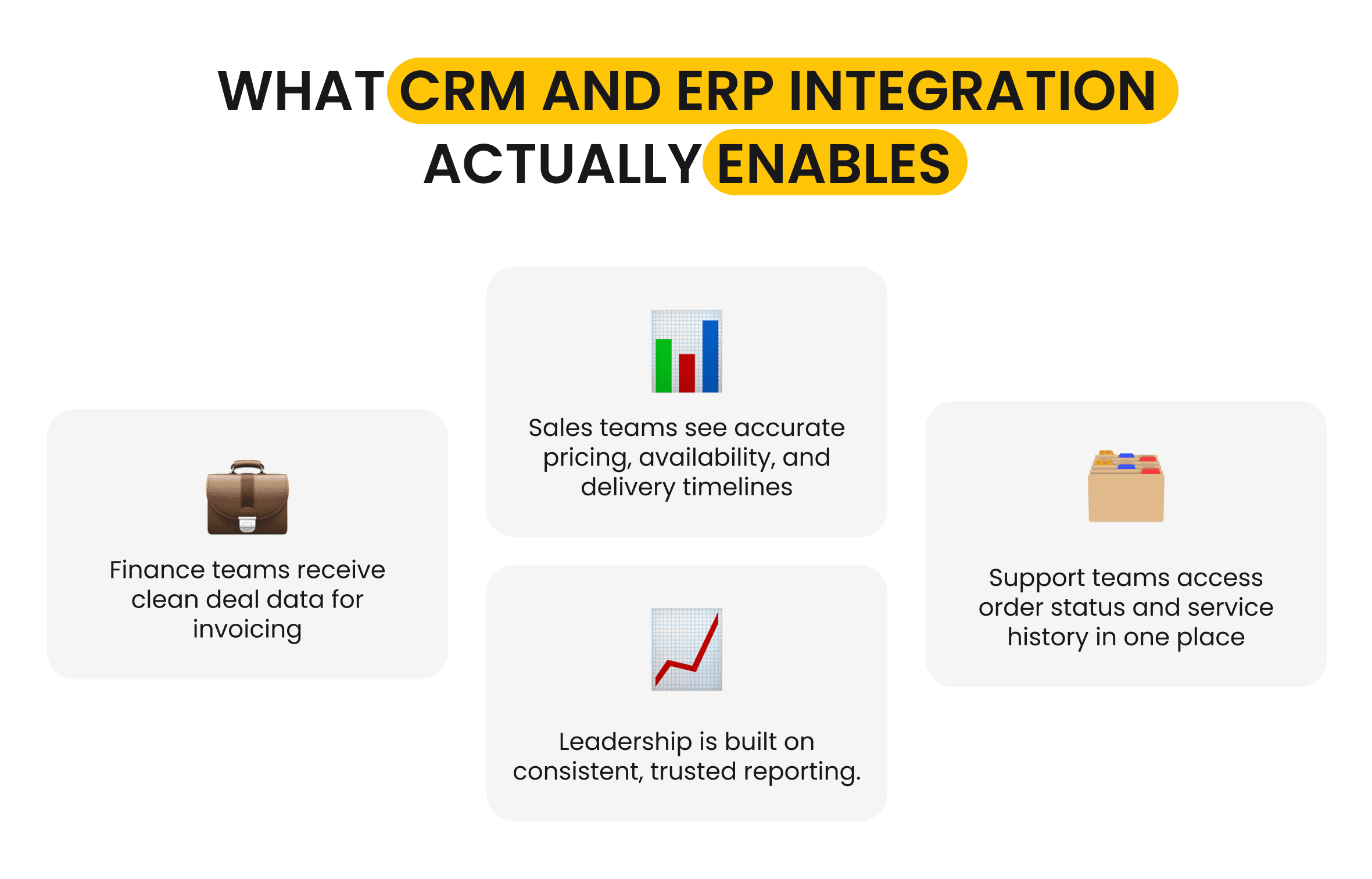
- A CRM system manages customer interactions, sales pipelines, marketing activity, and support history.
- An ERP system manages finance, inventory, procurement, fulfillment, and core operations.
When these systems operate separately, teams work with partial or outdated information. The integration connects them so that customer-facing decisions reflect operational constraints and real-time status.
It also connects intent with execution. When systems are aligned, customer-facing actions reflect real-time pricing rules, inventory levels, delivery timelines, and billing status. This reduces errors, delays, and internal friction.
 Click to expand
A 2025 academic research on ERP and CRM integration found that organizations using integrated CRM and ERP solutions reported significant improvements in customer satisfaction, loyalty, service quality, and operational efficiency.
At its core, integration between CRM and ERP platforms is not about software. It is about keeping customer promises, operational capability, and financial outcomes aligned as a business scales.
This alignment supports centralized data management without duplicating ownership across systems.
Common CRM ERP Integration Use Cases
You’ll see the impact of connecting CRM and ERP platforms first in processes that break under manual coordination.
Alignment between CRM and ERP delivers the most value where customer-facing actions depend on real-time operational data. These are moments when a decision made by sales, finance, or support immediately triggers downstream consequences in inventory, fulfillment, billing, or service.
As businesses grow, these dependencies become harder to manage manually. A single customer order can affect stock allocation, production schedules, invoicing, delivery timelines, and post-sale support. When CRM and ERP applications are disconnected, each step relies on assumptions, manual checks, or delayed updates.
The most common use cases for CRM ERP integration emerge exactly at these friction points. They are not advanced scenarios or edge cases. They are high-frequency processes that determine whether a business can scale without sacrificing accuracy, speed, or customer trust.
Sales and Order Management
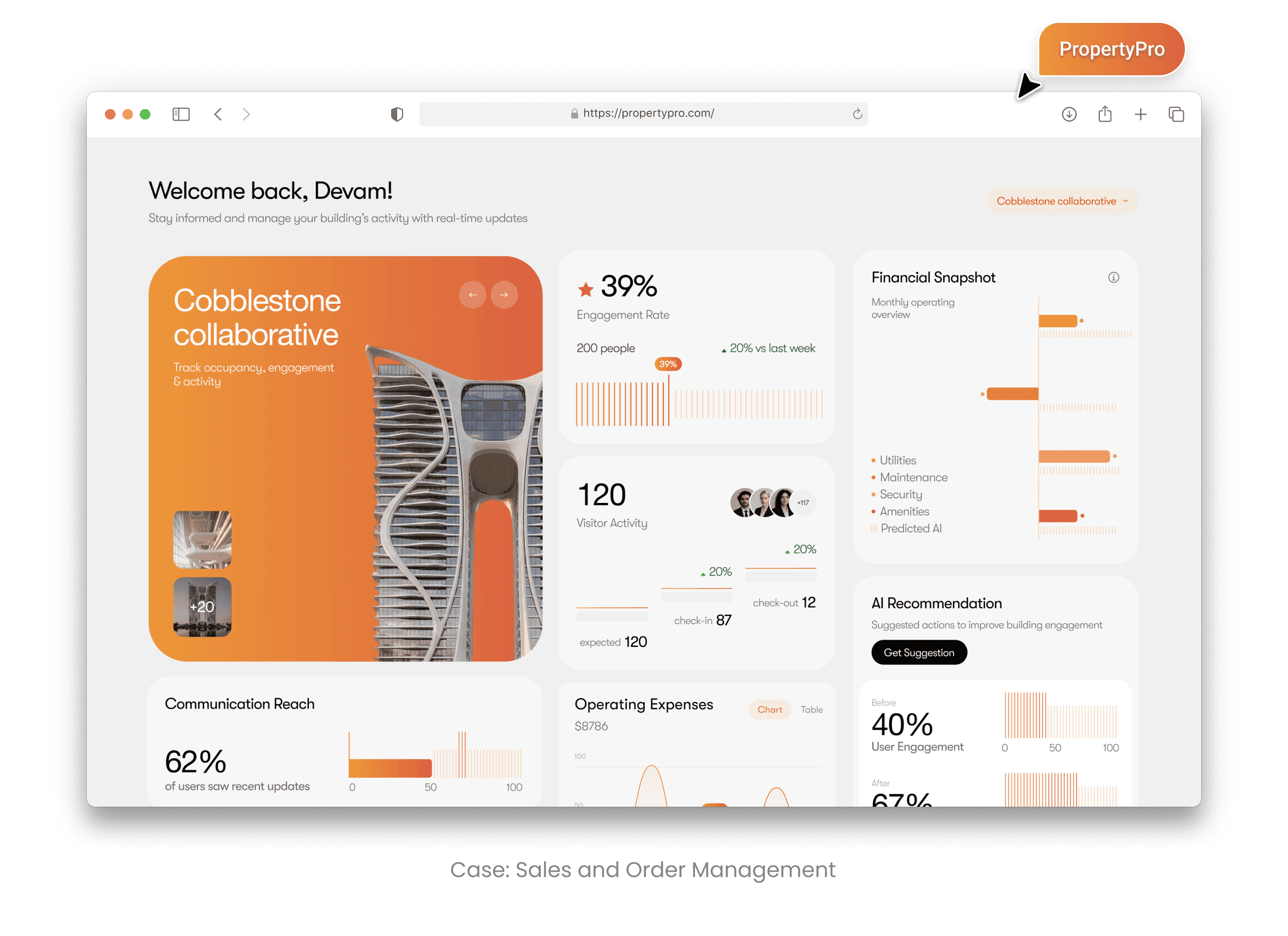
Sales and order management is where CRM–ERP software alignment delivers its fastest and most visible impact. Without integration, sales teams work with incomplete or outdated information. Pricing rules live in the ERP. Inventory levels change constantly. Delivery timelines depend on operational capacity. Yet quotes are often created in isolation.
When CRM is integrated with ERP, sales teams gain access to live inventory availability, approved pricing structures, discount thresholds, and delivery constraints before committing to customers. This reduces overselling, pricing errors, and last-minute order corrections.
Over time, this alignment changes sales behavior. Teams stop relying on gut checks or follow-up emails to operations. Quotes become more accurate, and customers receive commitments that can actually be fulfilled. A 2025 quantitative study found that organizations using integrated ERP and CRM systems reported fewer order corrections and higher customer satisfaction after implementation.
 Click to expand
Finance and Invoicing Automation
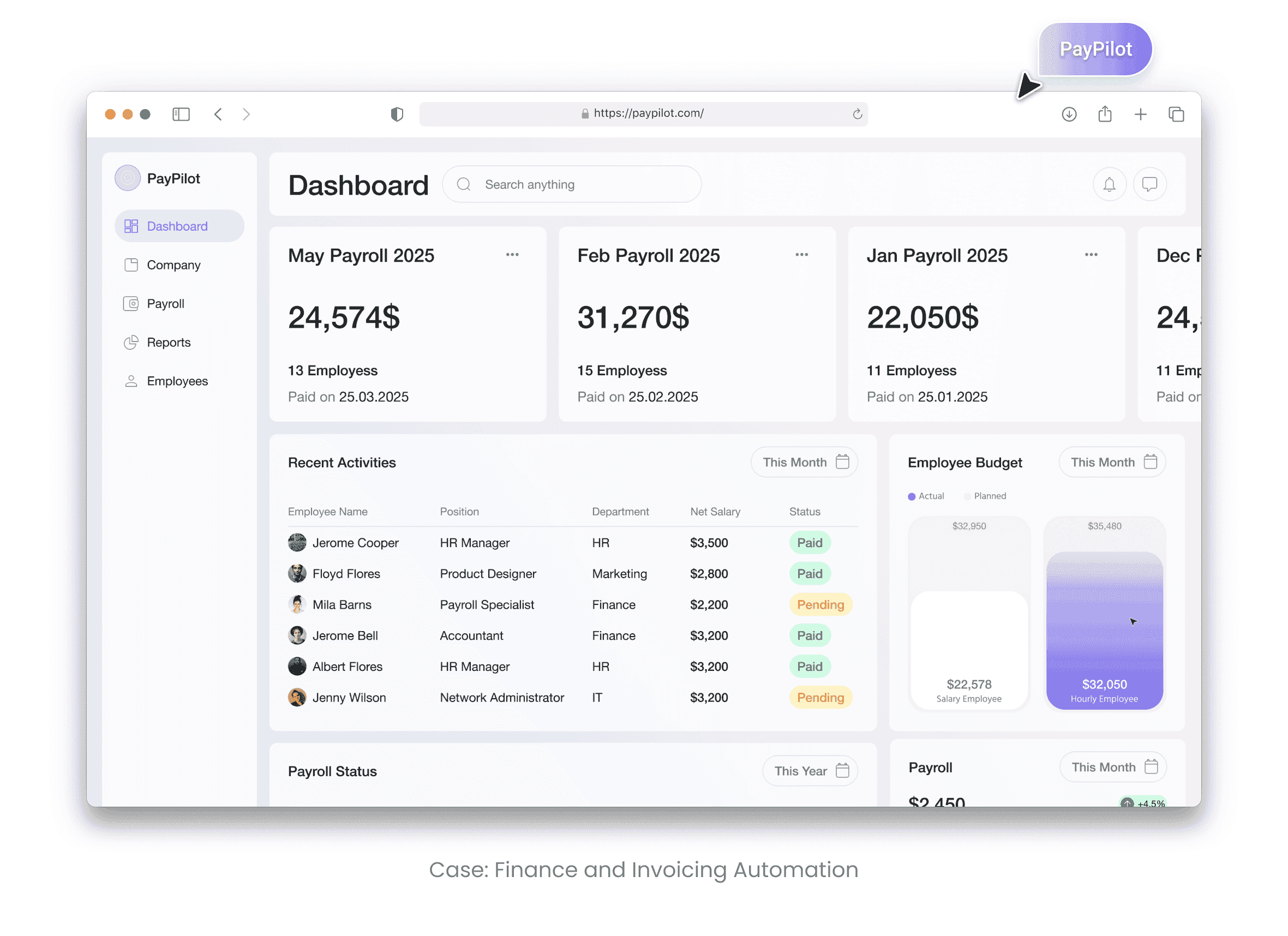
Finance and invoicing automation is where alignment between CRM and ERP most directly improves billing accuracy and cash-flow predictability. When deal data does not flow cleanly from CRM to ERP, invoices are created manually or corrected after the fact. This leads to billing delays, disputes, and inconsistent revenue reporting.
CRM and ERP software synchronization automates the transition from a closed deal to an invoice. Payment terms, tax rules, discounts, and customer records flow directly into ERP financial workflows. Finance teams no longer need to reconcile CRM data against operational systems before billing.
The result is not just speed, but consistency. According to measured results from a 2025 study, organizations reported a 25–30% reduction in billing-related errors after integrating CRM and ERP solutions. Faster invoicing also improves cash flow visibility and reduces friction with customers.
 Click to expand
Inventory and Supply Chain Visibility
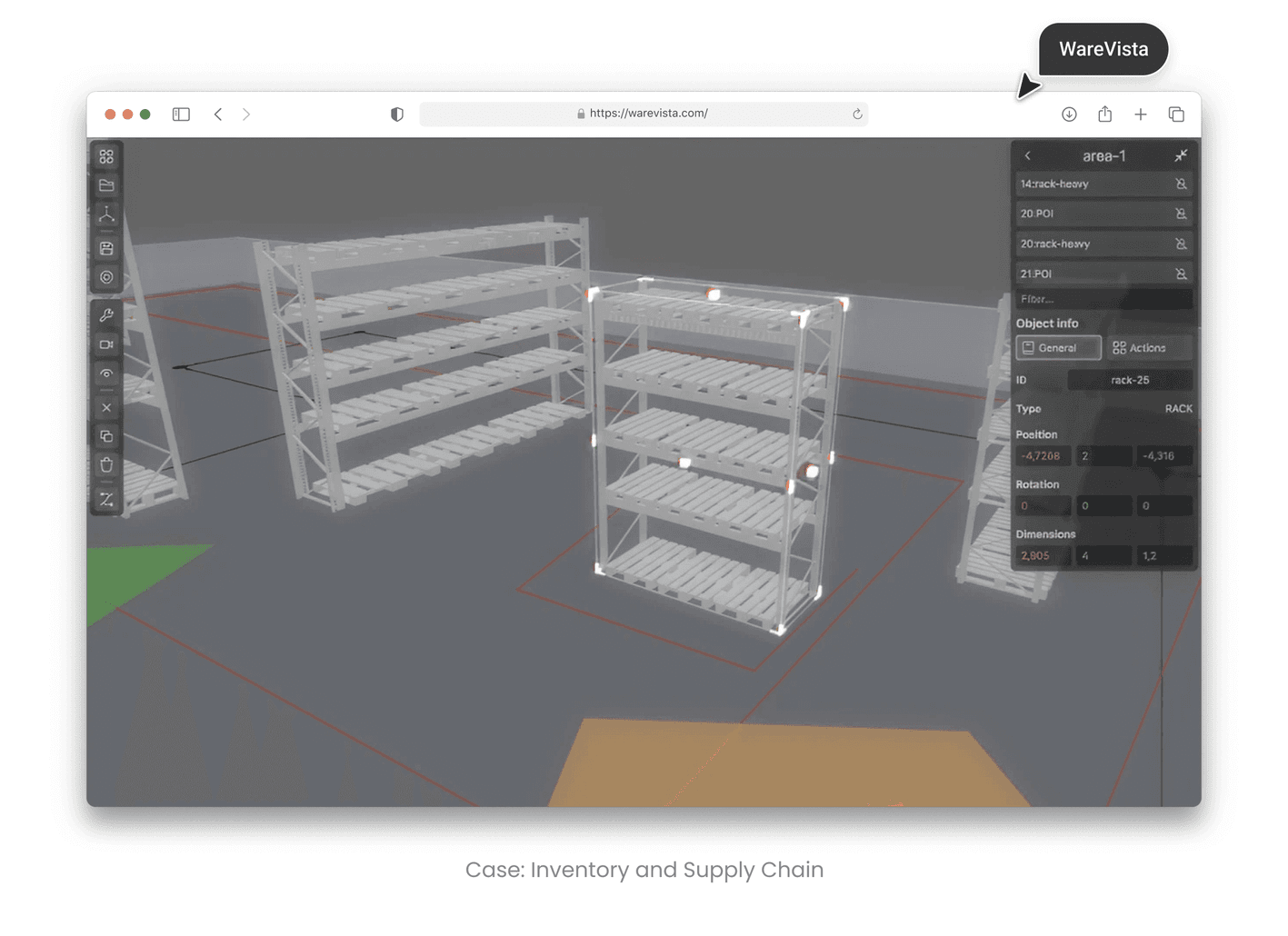
Inventory and supply chain visibility become a primary integration driver once order volume and delivery expectations increase. Without integration, sales and support teams depend on manual stock checks or delayed updates to confirm availability and delivery timelines.
Linking customer-facing and operational systems allows customer-facing teams to see real-time stock levels, fulfillment status, and backorder risks directly from the Enterprise Resource Planning system. This visibility enables more accurate delivery promises and proactive communication when constraints arise.
In practice, this reduces reactive firefighting. Teams can flag delays early, adjust commitments, or offer alternatives before customers are affected. In the same 2025 quantitative study, organizations reported a 32% reduction in operational response times after implementing CRM ERP integration.
 Click to expand
Customer Support and Service Management
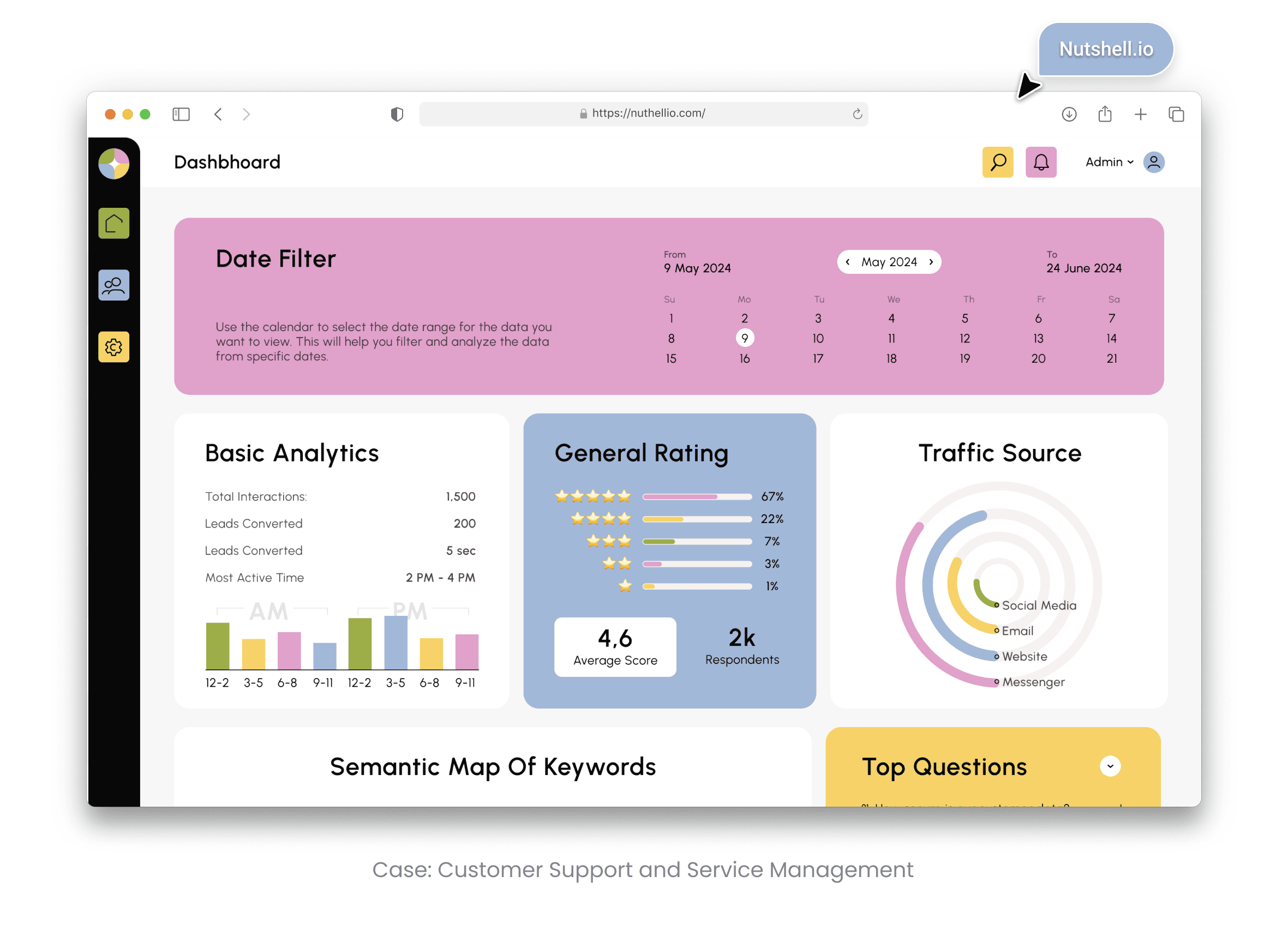
Customer support and service management is where connecting CRM and ERP applications has the greatest impact on response speed and service quality. Without integration, agents switch between systems to answer basic questions about order status, invoices, returns, or delivery progress. Each handoff adds time and frustration.
Integration of ERP and CRM consolidates customer interaction history with operational status into a single workflow. Support teams see what was ordered, what was billed, and what has been delivered without leaving their primary system.
This context changes the quality of support. Agents spend less time searching for information and more time resolving issues. In the 2025 study, 83.6% of respondents reported moderate to exceptional improvements in service quality after the integration was implemented.
 Click to expand
These examples show why the synchronization is not about edge cases or advanced automation. It focuses on everyday business processes where accuracy and timing matter most.
When customer-facing teams work from the same operational data as finance, inventory, and fulfillment, errors decrease and confidence increases. Each integrated use case removes a small but persistent source of friction, making the entire organization easier to operate as it grows.
CRM ERP Integration Methods and Approaches
Integration between Customer Relationship and Enterprise Resource Planning systems can be implemented in several ways, and each approach reflects a different trade-off between speed, flexibility, and long-term maintainability. There is no universally correct method. What works well for one organization can become a constraint for another as complexity increases.
The right integration approach depends on how often data changes, how tightly systems must stay synchronized, and how much internal capability exists to support ongoing maintenance. Some companies prioritize fast deployment. Others prioritize scalability or real-time accuracy. Understanding these trade-offs is more important than choosing a specific tool.
 Click to expand
Point-to-Point Integration
Point-to-point integration works best for simple, stable environments and connects a CRM system directly to an ERP system. This approach is often chosen when the integration scope is limited and processes are relatively stable.
It works well at a small scale, but it creates tight coupling between systems. Each new data flow adds another connection to maintain. As business requirements change, these connections become harder to manage and test, increasing the risk of silent failures.
iPaaS Integration
iPaaS integration is best suited for organizations that need scalability and centralized control across multiple systems. Instead of systems talking directly to each other, they communicate through a centralized integration platform.
This approach improves visibility, error handling, and scalability. It is commonly used when multiple systems are involved or when integration logic changes frequently. The trade-off is added platform complexity and the need for governance to manage mappings and flows.
API-Based Integration
API-based integration is the preferred approach when near real-time data accuracy and flexibility are critical. This approach supports event-driven architectures and high data volumes.
It is best suited for organizations that require near real-time accuracy and have the engineering maturity to design, version, and monitor APIs. API-based integration aligns closely with modern api integration practices but requires disciplined development and maintenance.
Custom CRM ERP Integration
Custom connecting CRM and ERP solutions are built to support unique workflows, data models, or legacy constraints that off-the-shelf solutions cannot handle. This approach is common in regulated industries or complex operational environments.
It is often paired with custom CRM development to align customer-facing processes with ERP-driven execution. While this approach offers the highest degree of control, it also carries a higher cost and long-term ownership responsibility.
The key distinction between these approaches is not technology, but how much change they can absorb over time. Integration methods that work well in early stages may limit flexibility later, while more robust approaches require greater upfront investment but support long-term growth.

Integration Challenges and How to Solve Them
CRM–ERP software alignment challenges are primarily organizational, not technical. It fails because systems, data, and people change at different speeds, and integration sits at the intersection of all three.
You’ll encounter most of these challenges as systems evolve, not at initial launch.
Most organizations underestimate this complexity. They focus on connecting systems but overlook ownership, data quality, and adoption. As a result, integrations technically work but fail to deliver meaningful business impact.
Challenge #1: Data Mapping and Data Quality Issues
Data mapping problems are one of the most common sources of integration failure, especially when customer data is stored differently across systems.
When customer records, product codes, or pricing structures don’t align, automated workflows break silently. Errors surface later as billing corrections, fulfillment delays, or reporting discrepancies. Poor data quality amplifies these issues, turning small mismatches into systemic problems.
A 2025 quantitative study found that a subset of organizations saw no measurable improvement from integration due to unresolved data inconsistencies rather than technical limitations.
Solving this requires clear data ownership. Each shared data element must have a defined system of record, with validation rules enforced before synchronization, not after.
Challenge #2: System Compatibility Problems
System compatibility becomes a challenge when legacy ERP platforms lack modern integration interfaces. Older systems often rely on batch processing, rigid schemas, or custom extensions that limit real-time data exchange.
This creates delays between customer-facing actions and operational updates. Sales teams see outdated availability. Support teams work from stale order status. Over time, trust in integrated workflows erodes.
Addressing compatibility issues usually involves middleware, adapters, or incremental modernization rather than full system replacement. The goal is not perfection, but predictable and observable data flow.
Challenge #3: Security and Compliance Risks
Integration increases exposure because more systems gain access to sensitive data. Customer records, financial transactions, and operational details move more frequently and across more boundaries.
Without proper controls, this creates security and compliance risk. The challenge is not the data movement itself, but ensuring that access, encryption, and auditing scale alongside integration.
Successful integrations treat security as part of the architecture, not a post-deployment fix. Role-based access, encrypted data transfer, and detailed logging are essential to maintain trust and compliance.
Challenge #4: Integration, Maintenance, and Scaling
Linking customer-facing and operational systems is not a one-time effort. As systems evolve, APIs change, workflows shift, and data models expand. Integrations that worked at launch can degrade quietly over time.
Organizations that plan integration as a project rather than a capability often experience failures months after go-live. Sync delays increase. Errors go unnoticed. Manual workarounds return.
Solving this requires ongoing ownership. Monitoring, versioning, and clear responsibility for integration health are necessary to keep systems aligned as the business grows.
Challenge #5: Change Management and User Adoption Challenges
Even technically sound integrations fail when users don’t trust or adopt them. If workflows change without training, teams bypass integrated systems and revert to spreadsheets, emails, or manual checks.
The 2025 study found that lack of training and adoption was a primary factor in the 6–8% of organizations that reported no improvement after integration.
Successful organizations involve users early, align integration with real workflows, and invest in training that explains not just how systems work, but why changes matter.
Challenge #6: Performance and Data Synchronization Issues
Delayed synchronization undermines confidence in integrated systems. When CRM data lags behind ERP updates, teams question accuracy and stop relying on automation.
Not all data needs to move in real time, but critical decision-making data must. Pricing, inventory availability, order status, and billing information require timely updates to support customer-facing actions.
Solving performance issues means prioritizing which data must be real-time, which can be asynchronous, and monitoring latency as a core metric rather than an afterthought.
Integration challenges are inevitable, but they are not unsolvable. Organizations that treat shared data flows between CRM and ERP as a shared business capability — with clear ownership, governance, and continuous improvement — are far more likely to realize its full value.
CRM ERP Integration Cost and Timeline
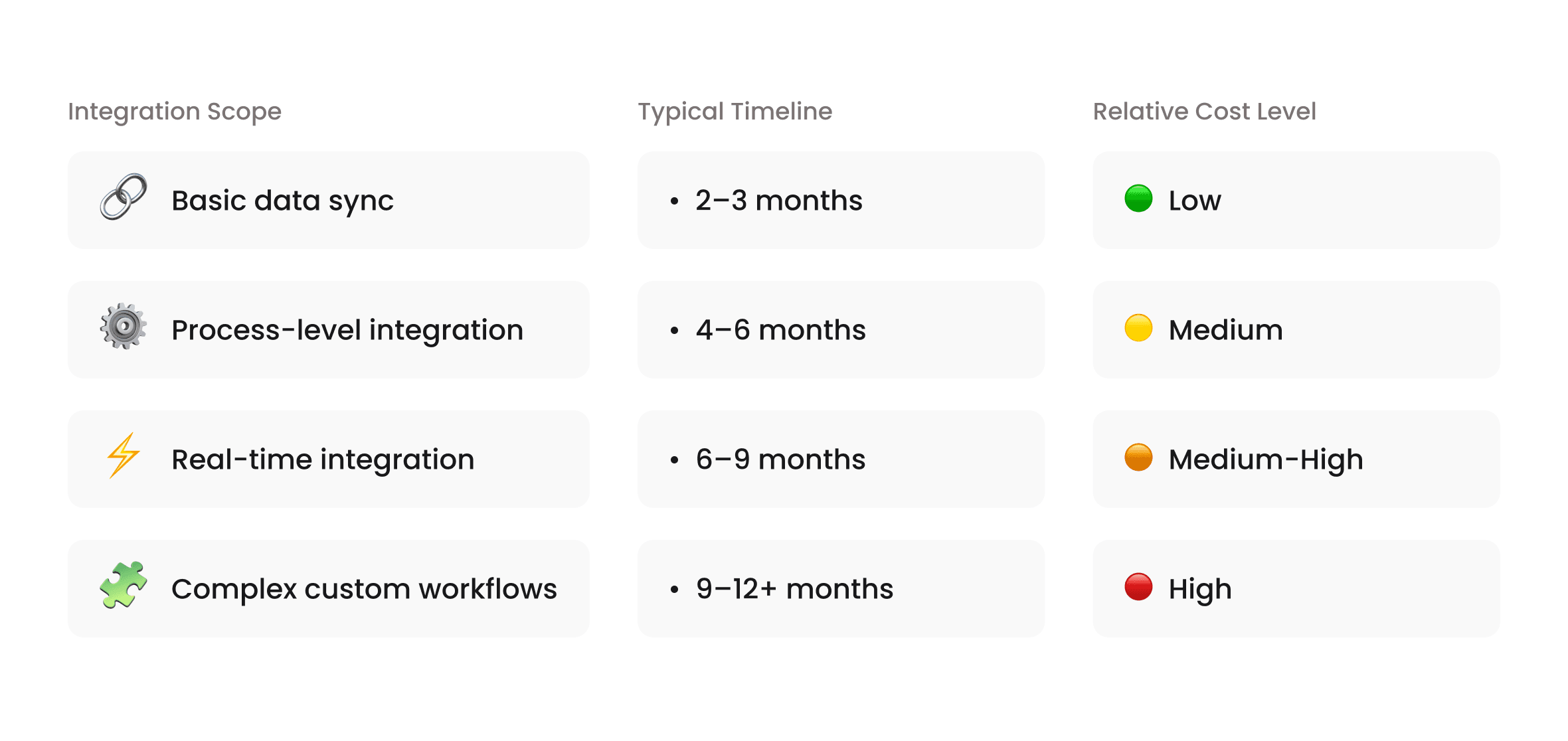
Integration between CRM and ERP software typically takes 3–9 months, with cost driven by scope, data complexity, and real-time requirements. The more complex your systems and processes are, the more time and coordination you should expect.
Many integration efforts run into trouble because teams underestimate what’s involved beyond the technical connection. Integration touches data quality, process alignment, testing, training, and ongoing maintenance. Each of these factors influences both cost and delivery time.
 Click to expand
What Typically Drives Integration Cost
The biggest cost driver is how much and how often data needs to move between systems. Synchronizing a small set of customer and order fields is very different from supporting real-time inventory updates, complex pricing logic, and multi-entity financial workflows.
Customization also increases cost. The more an integration must adapt to unique workflows, legacy ERP constraints, or industry-specific rules, the more effort is required to build, test, and maintain it. Real-time requirements, in particular, raise both development and operational costs.
Another often-overlooked factor is internal readiness. Organizations with clean data, documented processes, and clear ownership typically complete integrations faster and with fewer surprises than those addressing these issues mid-project.
Typical Timelines in Practice
Most end-to-end process alignments take several months, not weeks. Smaller implementations that focus on a limited set of use cases may stabilize within a few months. More complex integrations, especially those involving real-time data or custom workflows, take longer.
The difference is rarely the technology itself. It’s the time required to validate data mappings, test edge cases, train users, and adapt workflows to integrated systems. Integrations that rush these steps often require rework later, extending the effective timeline anyway.
A 2025 quantitative study observed that organizations with defined data ownership and structured training reached stable integration performance faster than those without these foundations.
Hidden Costs That Affect Long-Term Value
Many of the highest costs appear after go-live. Data cleanup, user training, monitoring, and integration updates are frequently under-budgeted. When these areas are neglected, teams lose trust in integrated workflows and revert to manual processes.
The same 2025 study found that organizations that underinvested in training were more likely to report limited benefits from data synchronization across enterprise systems, even when the technical implementation was sound.
Planning for these ongoing costs is essential. Integration is not a one-time expense. It is an operational capability that requires maintenance as systems and processes evolve.
How Organizations Control Cost and Timeline
Organizations that control cost and timeline tend to start small and expand deliberately. They focus on high-impact use cases first, limit synchronized data to what teams actively use, and design integrations to absorb change rather than resist it.
They also involve the right expertise early. Many companies reduce risk by engaging software development consulting teams during planning to assess feasibility, define scope, and identify potential constraints before implementation begins.
Cross-platform system integration succeeds when expectations are realistic. When cost and timeline are planned around business complexity rather than optimistic assumptions, integration becomes a predictable investment instead of a recurring surprise.
Best Practices for Successful CRM and ERP Integration
Successful integration is less about tools and more about how decisions are made and enforced over time. Organizations that treat integration as a shared business capability, rather than an IT task, consistently see better results.
If you want integration to hold up over time, ownership and governance have to be explicit.
These practices don’t eliminate complexity, but they reduce friction and prevent the most common failure modes.
#1 Establish Clear Data Ownership From the Start
One of the most important practices is defining a single system of record for each shared data element. When ownership is unclear, teams overwrite each other’s data and lose confidence in reporting.
Customer profiles, sales activity, and interaction history typically belong in the CRM. Pricing rules, inventory levels, billing, and fulfillment belong in the ERP. Integration should enforce these boundaries rather than blur them.
Clear ownership simplifies troubleshooting and prevents silent conflicts as systems evolve.
#2 Focus on High-Impact Use Cases First
Not every data point needs to be synchronized immediately. Teams that try to integrate everything at once often increase cost and risk without proportional benefit.
Successful integrations start with processes that directly affect revenue, cash flow, or customer experience. Sales commitments, invoicing accuracy, inventory visibility, and support context usually deliver the fastest return.
Once these flows are stable and trusted, integration can expand gradually.
#3 Design Integration to Absorb Change
CRM and ERP applications change continuously. New fields are added. Workflows evolve. Business models shift.
Integration that assumes stability breaks quickly. The most resilient implementations are designed with versioning, monitoring, and flexibility in mind. This allows teams to adapt integration logic without rebuilding everything when systems change.
Designing for change upfront reduces long-term maintenance costs and disruption.
#4 Make Integration Observable and Measurable
If integration issues aren’t visible, they won’t be fixed. Silent failures undermine trust and push teams back to manual workarounds.
Successful organizations treat integration health as an operational metric. They monitor sync failures, latency, and data accuracy, and they assign clear responsibility for responding when issues arise.
Visibility turns integration from a black box into a managed capability.
#5 Align Integration With Real Workflows
Integration should reflect how teams actually work, not how processes look on paper. When workflows are misaligned, users bypass integrated systems even if the technology works.
Teams that involve sales, finance, operations, and support early in design create integrations that support real decisions instead of forcing workarounds. This alignment is critical for adoption.
#6 Invest in Training and Adoption
Even the best integration delivers no value if teams don’t trust or use it. Training is not a one-time activity at go-live. It’s an ongoing effort to explain why workflows changed and how integrated systems reduce effort and errors.
A 2025 study found that lack of training and adoption was a key reason some organizations saw no measurable improvement after the integration application.
Organizations that reinforce integrated workflows through training and performance metrics are far more likely to sustain benefits.
 Click to expand
CRM ERP integration succeeds when governance, ownership, and adoption are treated as first-class concerns. When these practices are in place, integration becomes a foundation for scale rather than a source of ongoing friction.
FAQ
What is the best way to integrate CRM and ERP?
The best way to integrate CRM and ERP depends on business complexity and change frequency. Simple setups may use direct connections, while growing organizations benefit from API-based or middleware-driven approaches that scale and adapt over time. A 2025 study shows that structured integration approaches reach stable performance faster than ad hoc connections.
How long does ERP and CRM integration take?
ERP and CRM integration usually takes between 3 and 9 months, with timing driven by integration depth, data quality, and organizational readiness. Basic integrations can move faster, while real-time or highly customized setups require more time. Evidence from a 2025 quantitative analysis shows that teams with defined ownership and training plans reached stable operation earlier than those without.
What data is usually synchronized between CRM and ERP?
Most integrations synchronize customer records, products and pricing, orders, invoices, and inventory status. The goal is to keep customer-facing teams and operational systems aligned without duplicating ownership. In practice, organizations limit synchronization to high-impact data to reduce complexity and improve reliability.
What are the main benefits of CRM ERP integration?
The main benefits are higher customer satisfaction, improved operational efficiency, and better decision-making across sales, finance, and support teams. A 2025 peer-reviewed study found that organizations with CRM ERP integration reported higher satisfaction and loyalty, improved service quality, and stronger operational performance.


INSIGHTS

Get in Touch
Got no clue where to start? Why don’t we discuss your idea?

