This site uses cookies to improve your user experience. Read our Privacy Policy

Incora logo
Tech Consulting
Expert Advice To Align Tech Strategies With Business Goals
Backend Development
Server-side Architecture And APIs
Frontend Development
Modern, Responsive Frontend Applications
UI/UX Design
Creating Intuitive User Experiences
Software QA & Testing
Ensuring Software Quality And Reliability
DevOps Services
Streamline Your Development Operations
Custom Software Development
Tailored Software Solutions For Unique Business Needs
Legacy App Modernization
Modernize And Transform Legacy Systems
Saas Development
End-To-End Saas Development From Idea To Launch
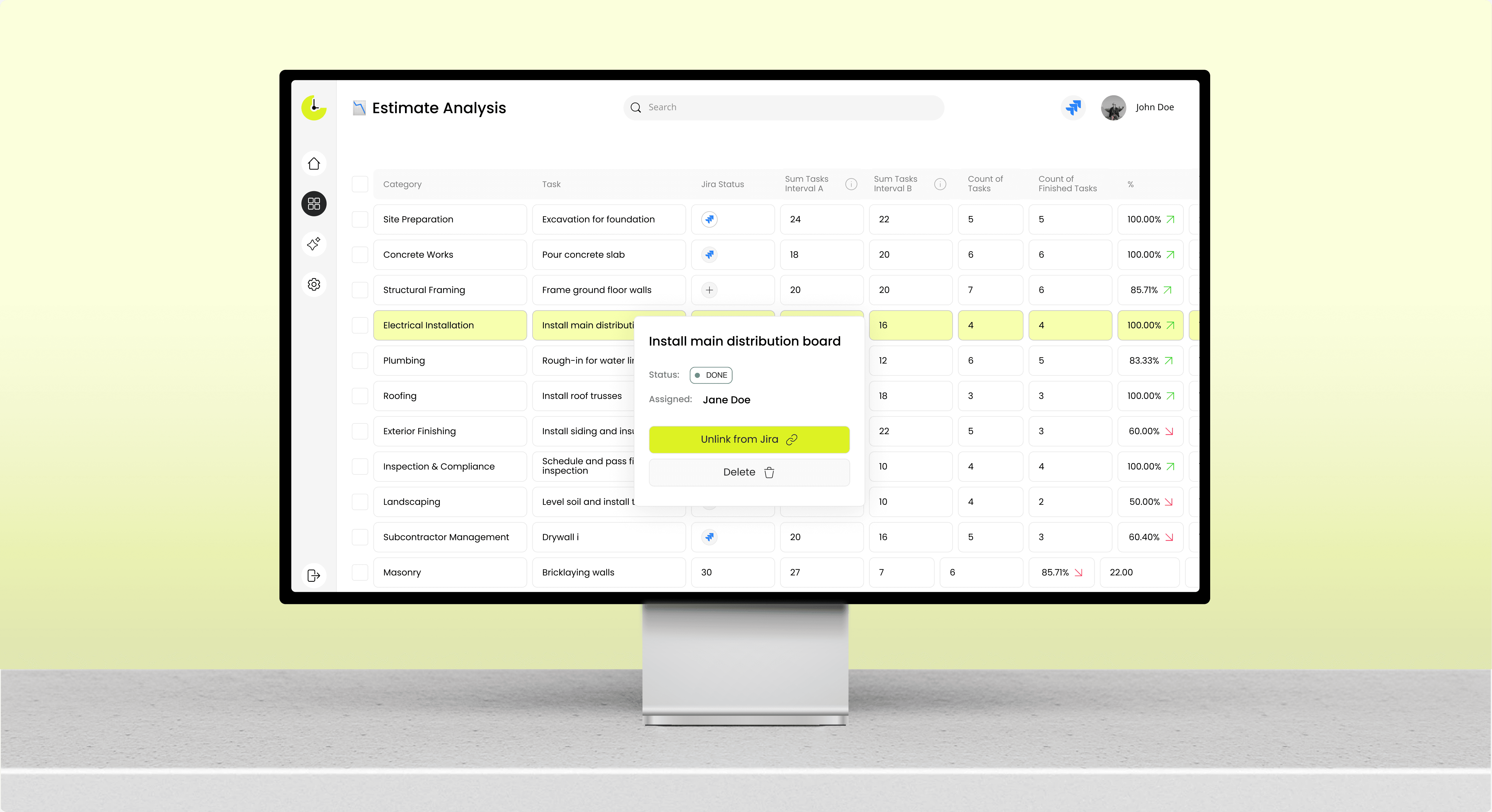
Business Process Automation
Automate Workflows And Business Operations
Startup Development
Rapid Product Development For Startups To Scale Quickly
Team Extension
Boost Your Team With Skilled Niche Developers
Dedicated Team
A Full Team Focused Solely On Your Project Needs
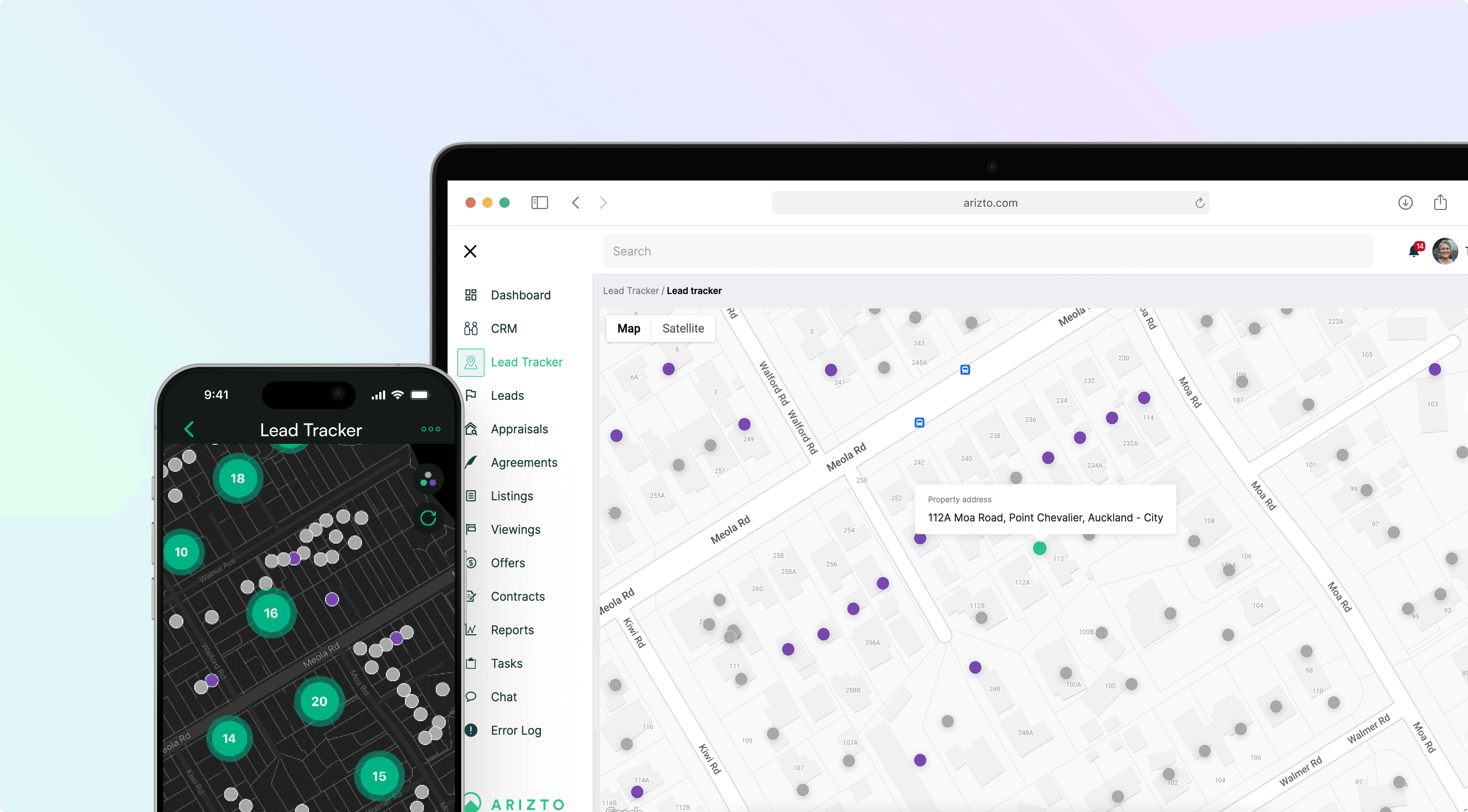
Real Estate
Smart Home Systems And Property Management
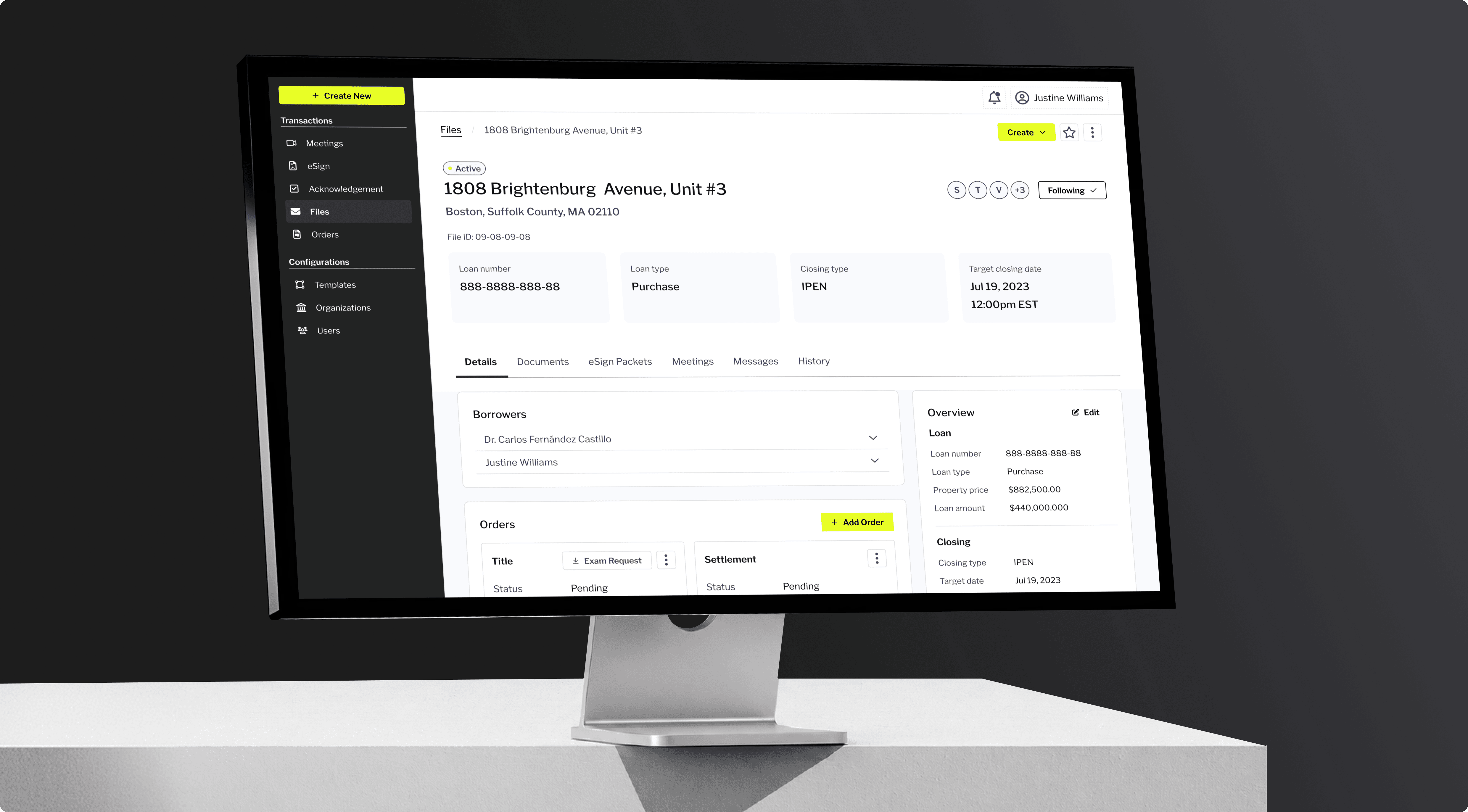
Fintech
Payment Processing And Banking Solutions
Booking Systems
Scheduling And Reservation Platforms
Construction
Site Management And Resource Planning
Management Systems
Workflow Optimization And Reporting Tools
Delivery & Shipping
Order Tracking And Route Optimization
Manufacturing
Production Systems And Quality Control
Supply Chain
Logistics Tracking And Inventory Management
Energy
Monitoring And Sustainable Tech solutions
Healthcare
Patient Portals And Telemedicine Platforms
Edutech
Learning Platforms And Course Management
IT Tools
Developer Tools And Internal Platforms
React.Js Developers
Build Dynamic Uls With React And Next.Js
Three.Js Developers
3D Graphics And WebGL Experiences
Next.Js Developers
Server-Rendered React With Next.Js
JavaScript Developers
Cross-Browser J Development
Vue.Js Developers
Lightweight And Performant Vue Interfaces
Redux Developers
State Management For Complex Apps
Angular Developers
Enterprise-Grade Angular Applications
Node.Js Developers
Scalable Server-Side Javascript Applications
GoLang Developers
High-Performance Microservices in Go
Full Stack Developers
End-To-End Web Application Development
Python Developers
Data-Driven Backends And APIs
NestJS Developers
Progressive Node.Js Framework
Flask Developers
Lightweight Python Web Framework
Express.Js Developers
Fast, Minimalist Web Framework
Django Developers
High-Level Python Web Framework
MERN Stack Developers
MongoDB, Express, React, Node.Js
AWS Developers
Cloud Architecture On Amazon Web Services
DevOps Engineers
CI/CD Pipelines And Infrastructure Automation
Azure Developers
Microsoft Azure Cloud Solutions
Google Cloud Developers
GCP Infrastructure And Services
Cloud Engineers
Multi-Cloud Infrastructure Management
Data Engineers
Data Pipelines And Warehouse Design
WebRTC Developers
Real-Time Communication Solutions
QA Engineers
Automated And Manual Testing Specialists
Offshore Developers
Cost-Effective Remote Development Teams
ERP Developers
Enterprise Resource Planning Solutions
Saas Developers
Saas Product Development Specialists

SmartHome App

A cross-platform mobile app that centralizes Smart Home hardware, linking IoT sensors to one platform for property management and monitoring.


Services
Custom Mobile App Development ServicesDedicated Development Team
Client
Under NDA
Location
Texas, USA
Industry
Real estate software development services
Results
30%
growth in customer retention
20%
lead-to-customer conversion rate
45%
growth in device integration
Current thumbnail
Team
Tech Lead / Software ArchitectReact Native DeveloperFull-Stack TypeScript EngineerQA Automation Engineer
Technologies
React Native
React Native
TypeScript
Firebase
Firebase

Data Management

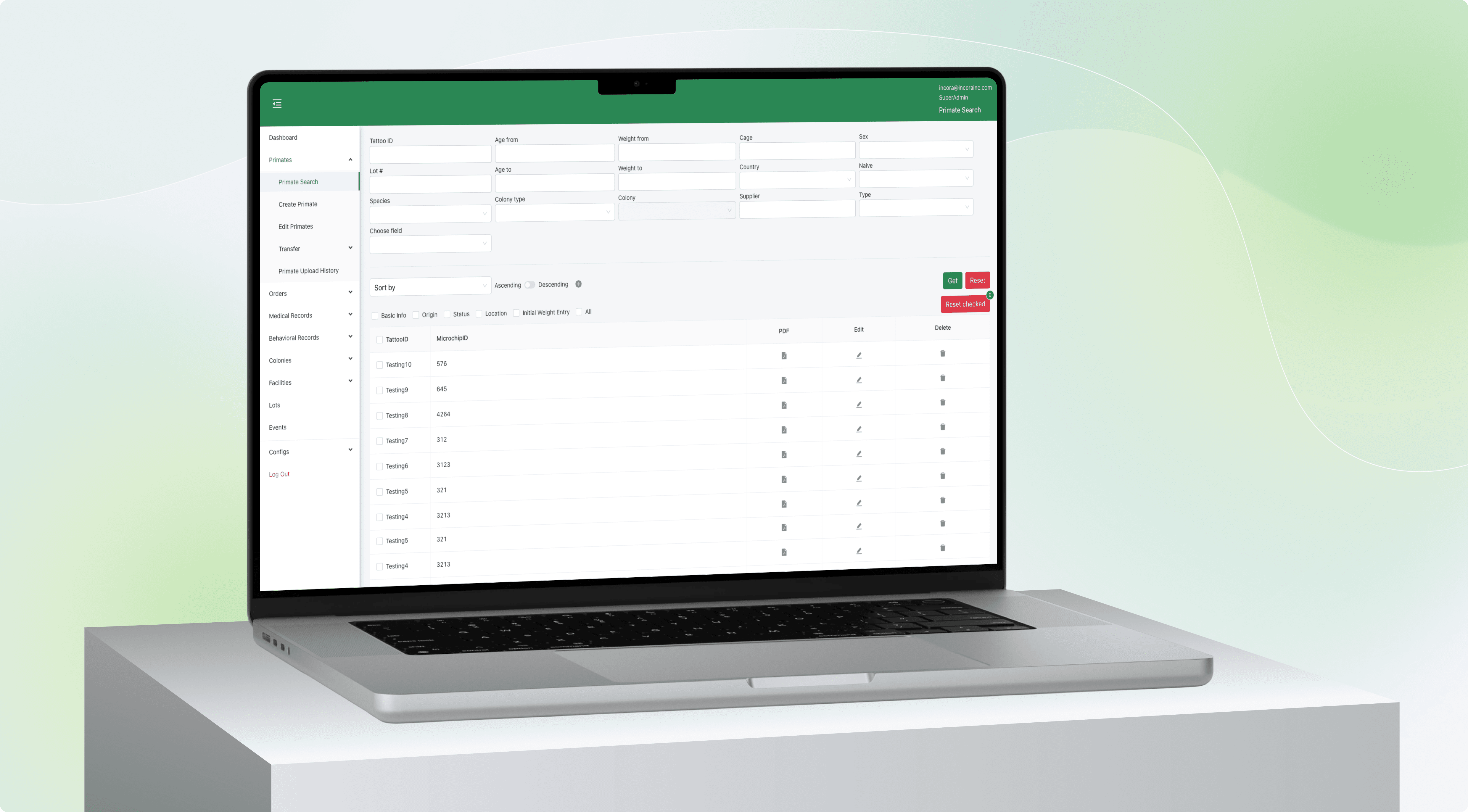
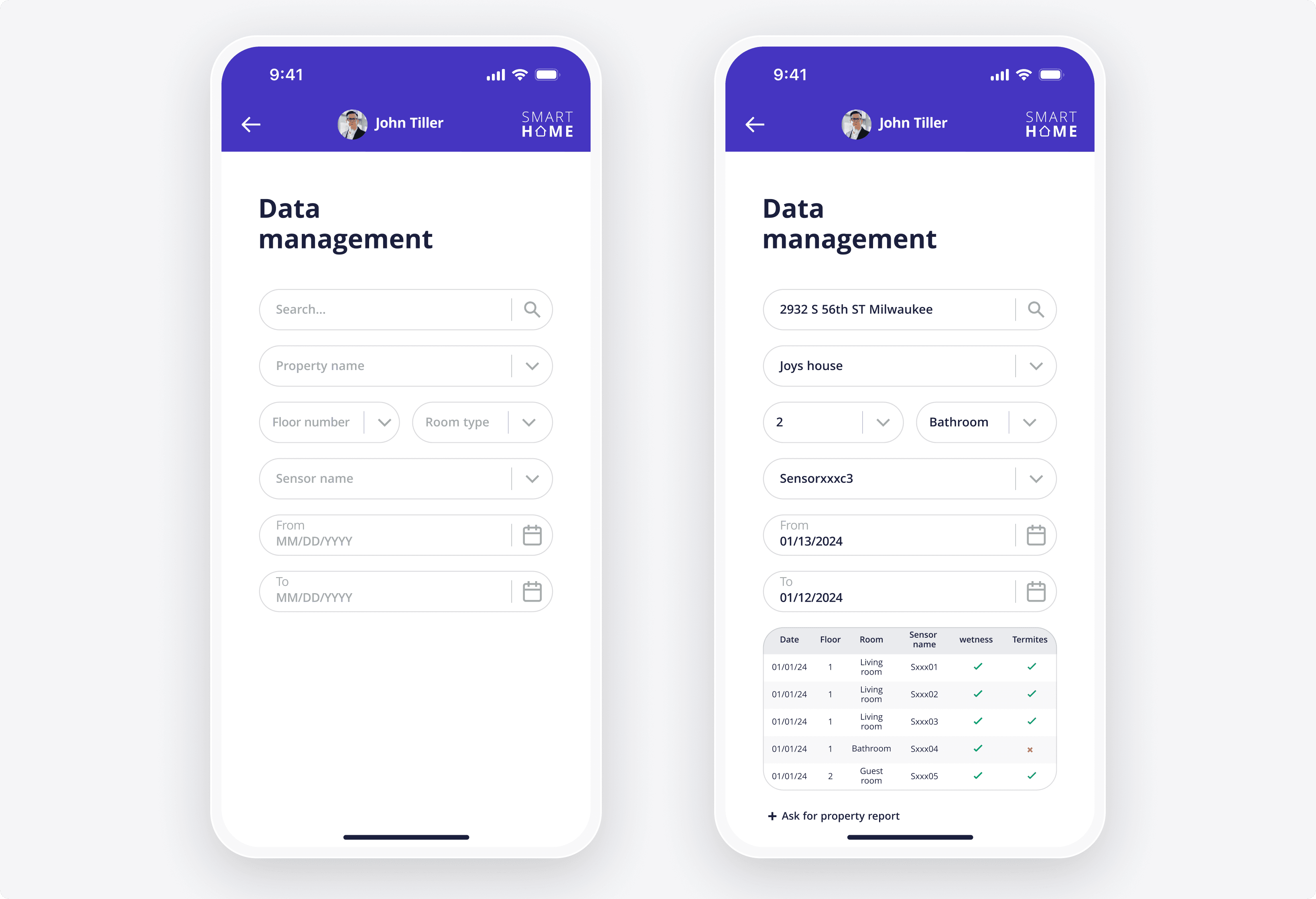
The home screen for working with in-app data, where users search for assets, choose sensors, and set a date range. Results show in a table covering date, room, sensor, and status.
  • Filter by property, floor, room, sensor, and dates
  • Table view: date, room, sensor, wetness, termites
  • Search by property name or by address
  • Request a full property report
Data Management

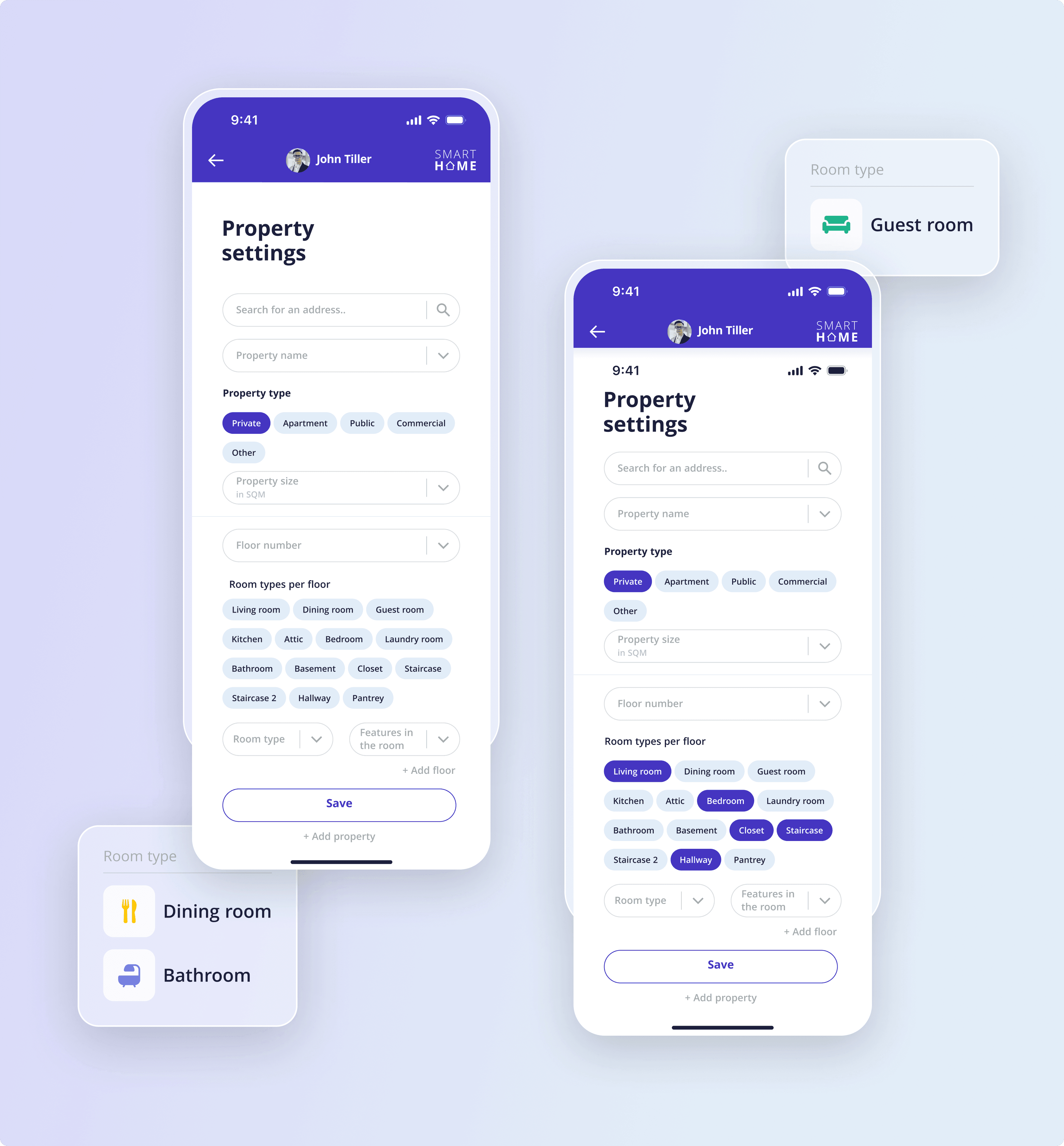
Property Settings

The page for adding properties and editing their details. Users set the type, size, floors, room types, and room features.
  • Set property type, size, and floor
  • Pick from private, apartment, public, commercial
  • Assign room types per floor with features
  • Powers navigation and activity tracking
Property Settings

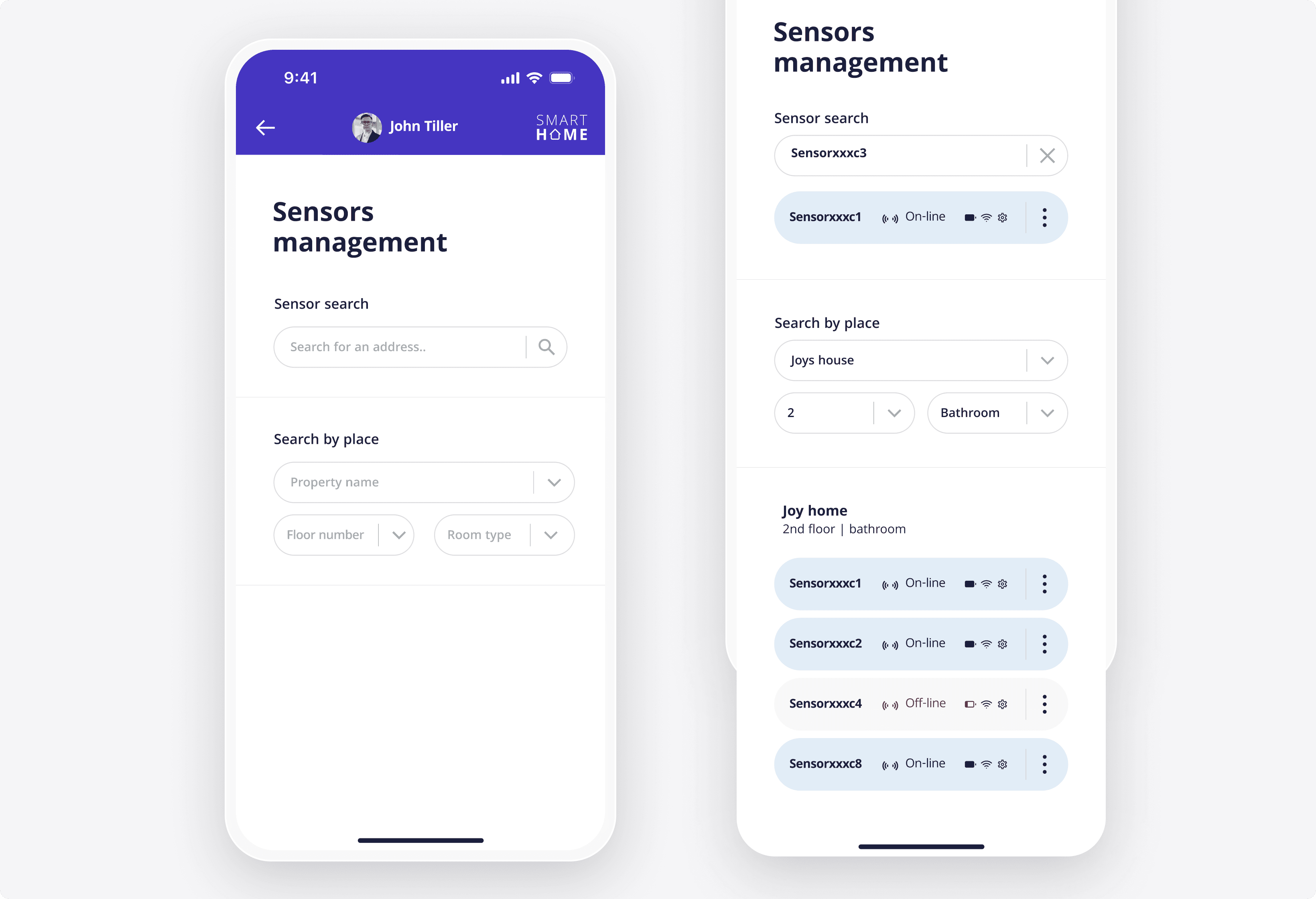
Sensors Management

Tools to add sensors, describe their specifics, and locate them by property, floor, and room. Each sensor shows a live status.
  • Search sensors by name or by place
  • View online and offline status per sensor
  • Group sensors by property, floor, and room
  • Open per-sensor settings and connection details
Sensors Management

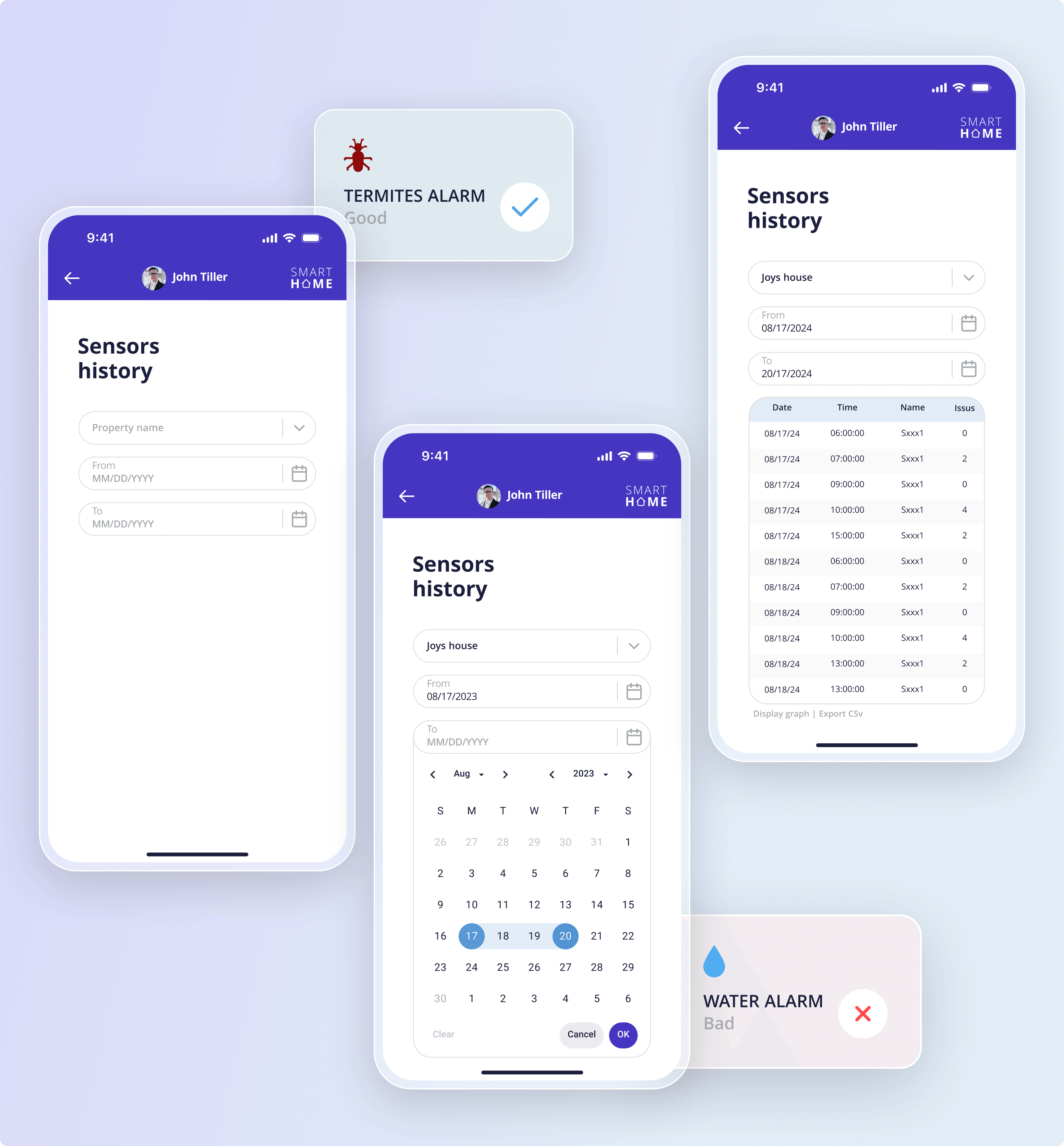
Sensors History

A log of historic sensor data for longer-term analysis, filtered by property and date range. The table stays minimal for quick reading.
  • Filter history by property and date range
  • Table view: date, time, sensor, issue count
  • Display readings as a graph
  • Export sensor history to CSV
Sensors History

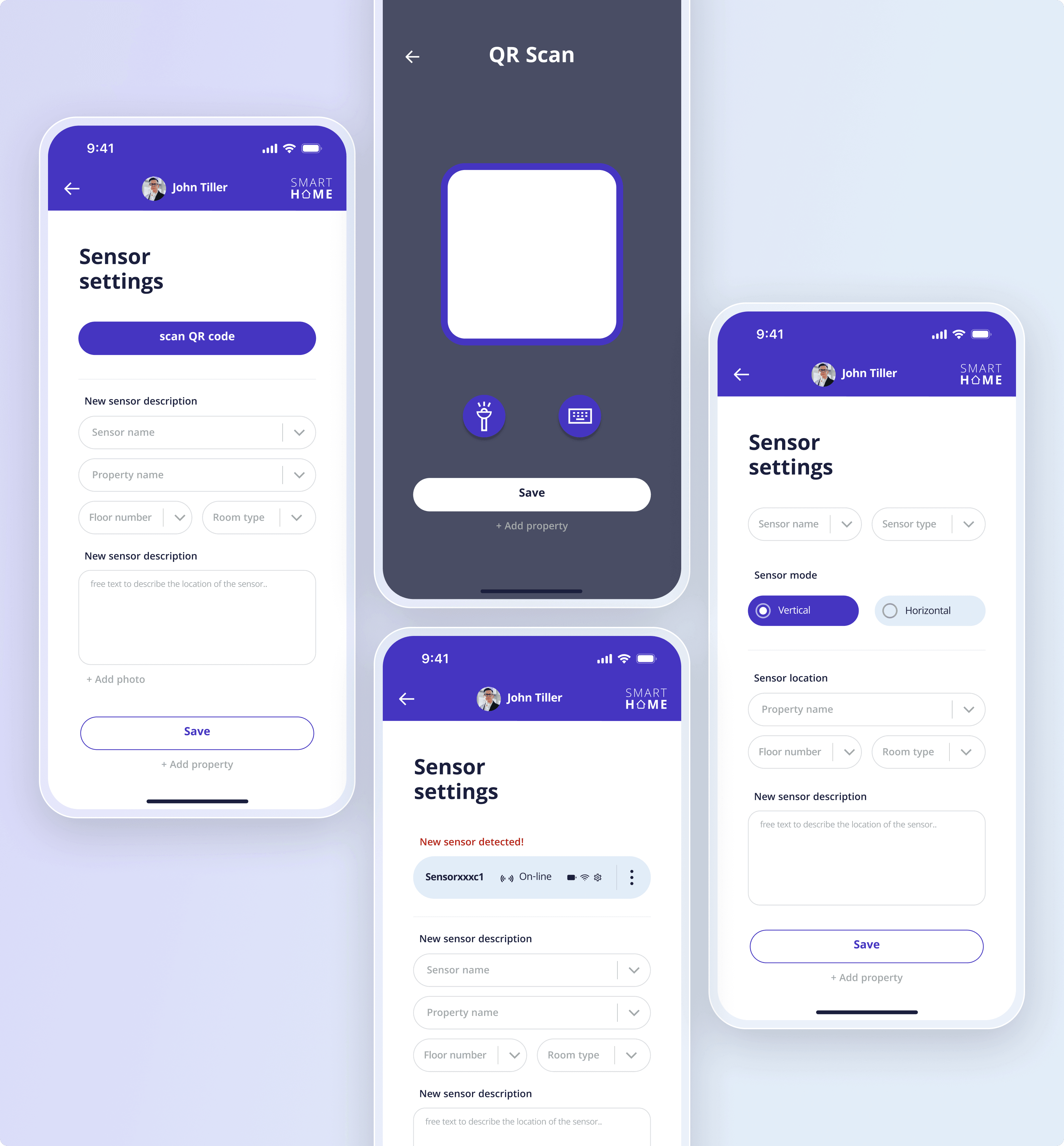
QR Sensor Onboarding

The flow for linking a physical sensor to the platform by scanning its QR code with the camera. A detected sensor is then configured.
  • Scan a sensor's QR code with the camera
  • Confirm each newly detected device on screen
  • Set sensor name, type, and mode
  • Assign location by property, floor, and room
QR Sensor Onboarding

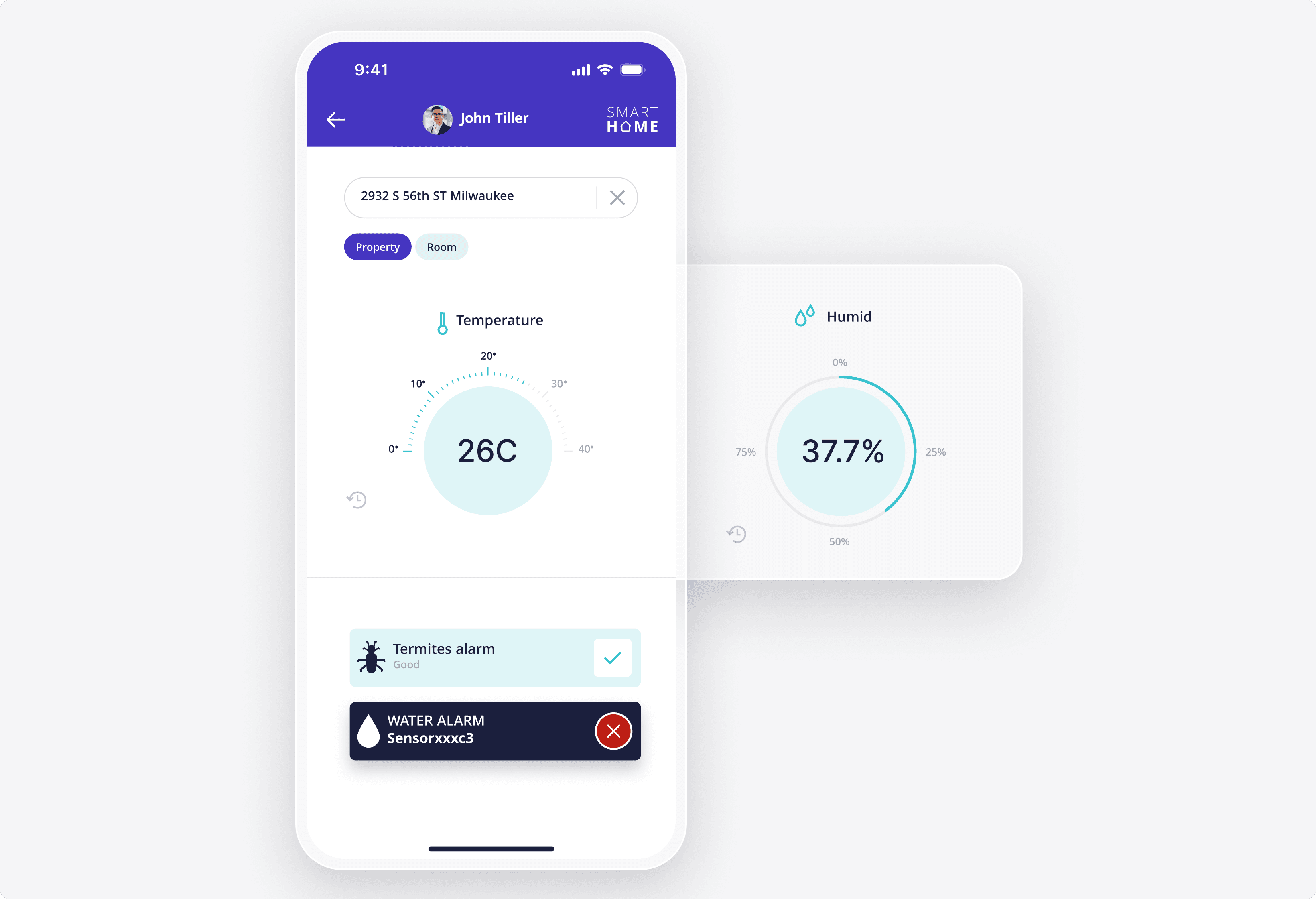
Live Monitoring Dashboard

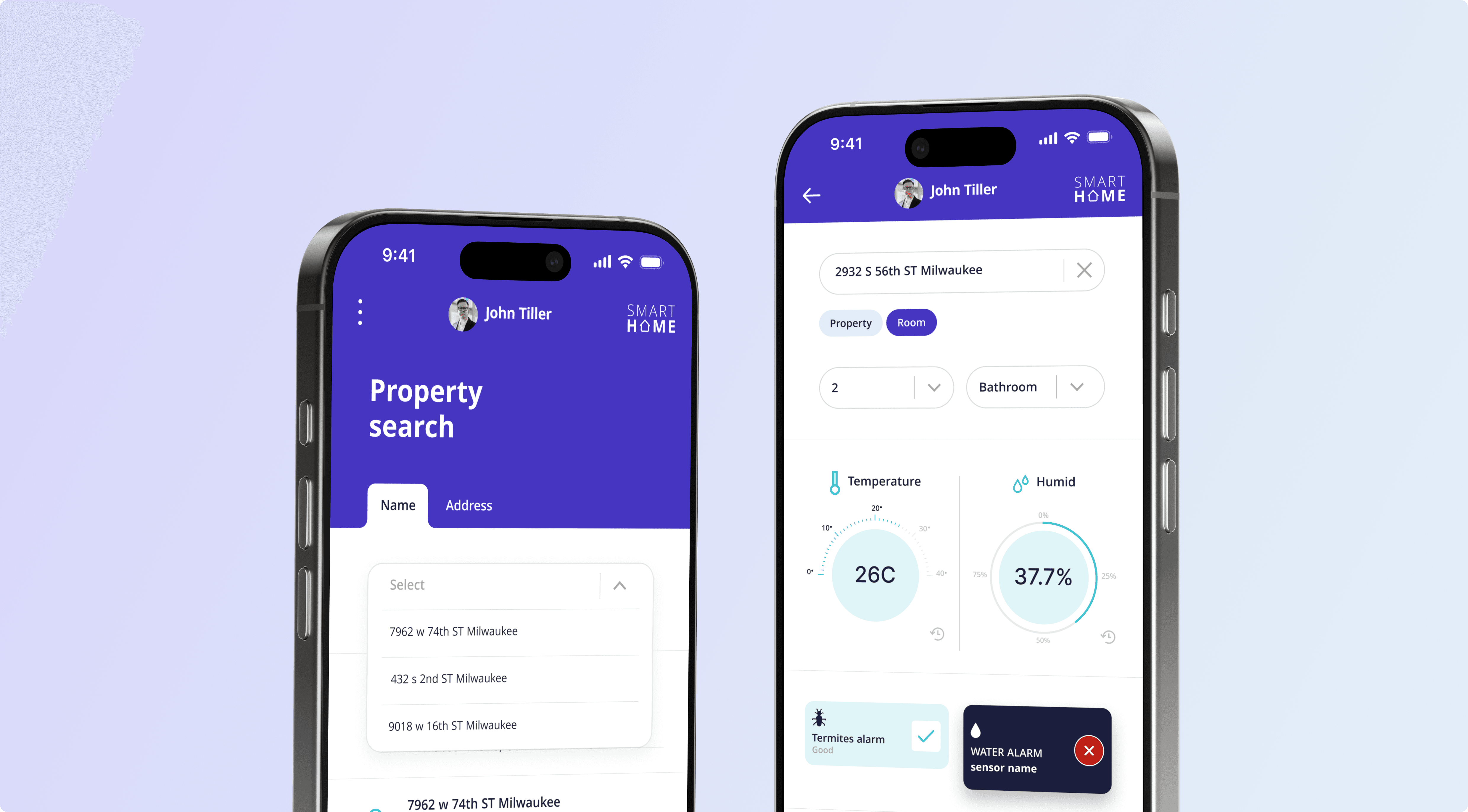
The view of a property's current readings, showing temperature and humidity on dial gauges. Alarm cards flag issues.
  • Temperature and humidity on dial gauges
  • Termite and water alarm status cards
  • Switch between property and room views
  • Open history per reading from the dashboard
Live Monitoring Dashboard

Have a similar challenge? We can help!

Discover a solution

Challenges & Solutions

challenge #1
Protecting sensitive property data
solution #1

Data encryption and established security protocols protect information across the platform.
challenge #2
Reliable data transfer across devices
solution #2

Clean code and a regular testing cycle keep sensor data transferring without errors.
challenge #3
Linking hardware to the software
solution #3

QR code scanning paired with customizable in-app rules connects each physical sensor to the platform.

More cases like this

View All Cases

Get in touch!

Let's discover how we can help you reach your goals.
🌐
Anastasiia Pryshliak
Senior Partnerships Manager

Just pick a time. No forms.

30 minGoogle MeetNo commitment
chat photo